Shure Incorporated
23/36
Playback
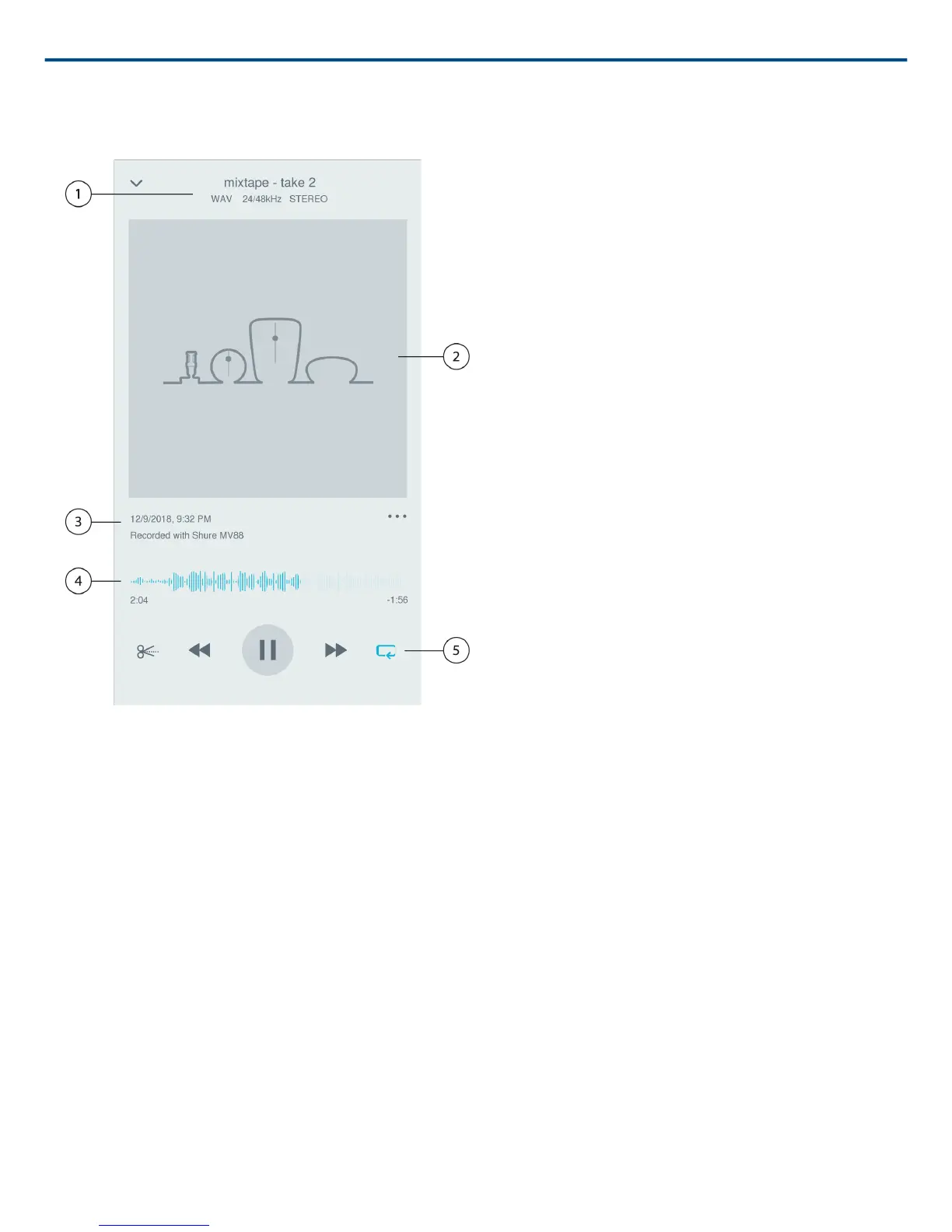
Double-tap the track name in the audio player to access the Playback window.
① Track Information
Information of the currently playing track is displayed, including title, file format, bit depth, sample rate, and
whether the track is in stereo and mono.
② Track Artwork
Keep the MOTIV artwork. Or customize your artwork with images from the photos in your device. See "Customize
Track Artwork".
③ Recording History
Displays the time and date that the track was recorded and the microphone that was used.
④ Playback Timeline
See where you are in the track as it progresses. The time elapsed and time remaining are displayed below the
timeline.
⑤ Playback Controls
Edit, Rewind, Play/Pause, Fast-Forward, and Loop your track.



 To Next Page