3
PSM
®
300
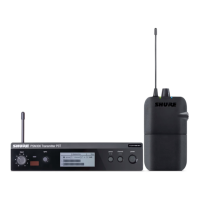
The PSM300 Personal Monitor System delivers wireless stereo monitoring
for improved clarity and reduced feedback over traditional stage wedges.
Performers can create their own custom mixes by adjusting the stereo
blend and overall volume level at the bodypack, resulting in lower volume
on stage and enhanced audio detail. Easy to set up and operate, PSM300
features one-touch frequency syncing and solid wireless RF stability
between transmitters and receivers. With rugged, dependable hardware
and hard-working technology, Shure PSM300 Personal Monitor Systems
deliver a greatly improved monitoring experience on stage.
Features
• Send two channels of audio wirelessly to performers onstage
• Solid RF connection over a 300 foot (90 meter) range
• Create a personal mix on each bodypack with adjustable stereo
balance or MixMode
®
two-channel mono blend.
• Up to 90 dB signal-to-noise ratio provides clear, detailed audio at any
volume
• Systems available with Shure Sound Isolating™ earphones
• One-touch scan and IR sync quickly and easily assigns a clean
wireless channel
• No complicated menus, just simple volume and mix controls that focus
on the performance
• All-metal half-rack transmitter
• Slim, lightweight bodypack attaches easily to a belt or guitar strap
Instrument Mix
(Channel 1)
Vocal Mix
(Channel 2)
MONO/STEREO-MX LINE/AUX LEFT/CH.1 IN RIGHT/CH.2 INL - LOOP OUT - R ANTENNAPOWER
Personal MixMode settings
Personal MixMode settings
Stage signals
to mixer inputs
Instrument mix (channel 1)
This example shows a typical setup for musical performance. See the
System Applications section for additional examples.
① Route audio signals
Send Instrument and microphone signals from the stage to a mixer
or PA system.
② Create monitor mixes
From the mixer, create two mixes: one of just the instruments, and a
second with just the vocals. Route each of these to separate mixer
outputs and connect them to the P3T inputs.
③ Send wireless audio to the performers
Sync the bodypacks to the P3T transmitter to send the mixes to the
performers for in-ear monitoring.
④ Adjust personal mixes
Each performer uses the MixMode knob on the bodypack to control
their own mix between the instruments and vocals .
System Overview
Included Components
power
group channel
sync
PSM300 Transmitter P3T
(1-F)
(1-9)
input
P3R or P3RA Bodypack Receiver
*Not included in Argentina


 To Next Page