5
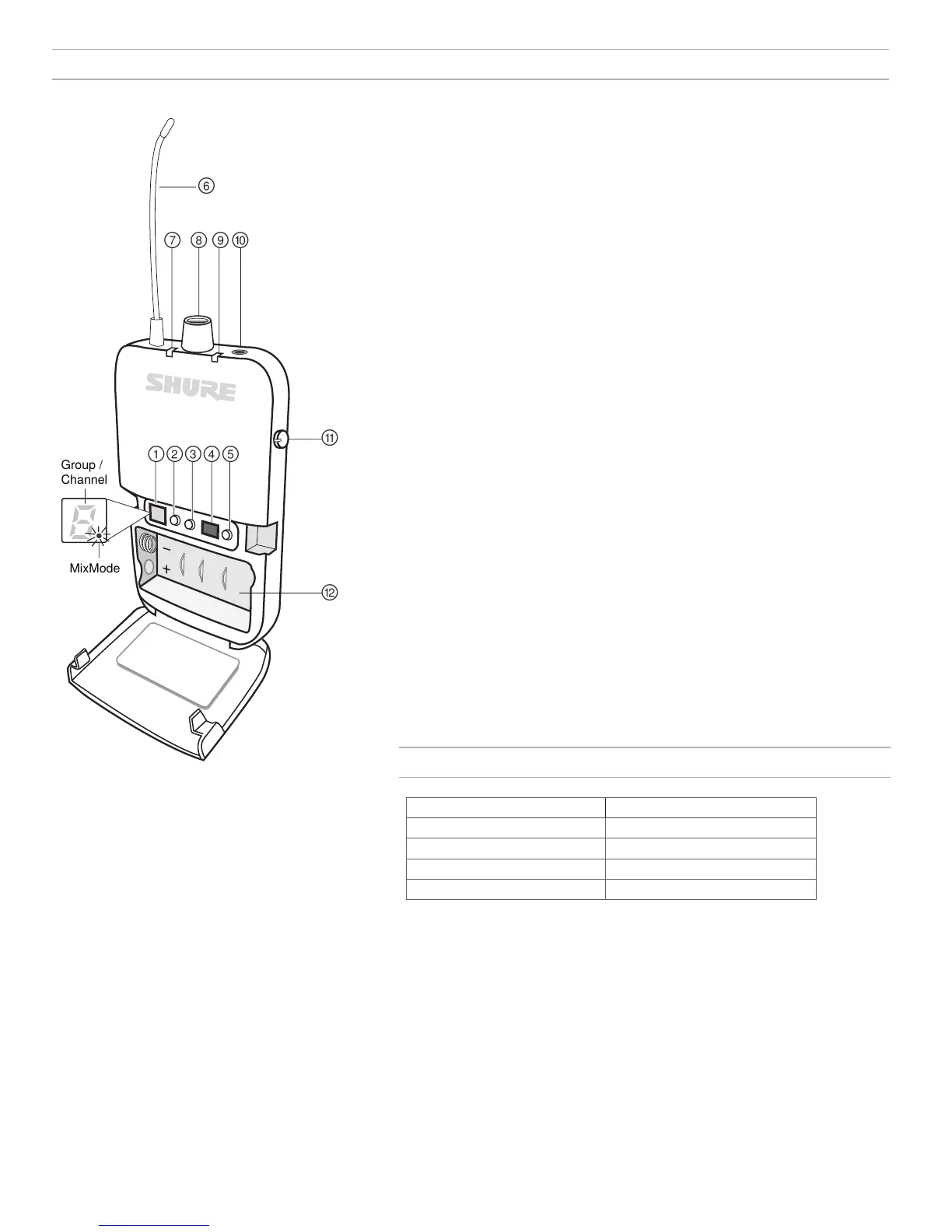
P3R Wireless Receiver
P3R
① Display
Shows group, channel, and MixMode settings
② Group Button
• Press to display group
• Press and hold to edit the group, then press to scroll when display flashes
③ Channel Button
• Press to display channel
• Press and hold to edit the channel, then press to scroll when display flashes
④ IR Sync Window
Sends and receives sync data between the receiver and transmitter
⑤ Scan Button
• Press and hold to perform a group scan
• Press to perform a channel scan
Note: A channel scan selects the best channel in the current group. A group scan finds the group
with the most open channels and selects the first available channel in that group.
⑥ Antenna
⑦ Power LED Indicator
Indicates when receiver is on, remaining battery life, and when power-save mode is
active. See battery life table for more information.
⑧ Power Switch / Volume Control Knob
Turns the receiver on/off and adjusts master headphone volume level
⑨ RF LED Indicator (blue)
Illuminates when tuned to an active transmitter group and channel
⑩ Headphone Output
Connects to earphones or headphones
⑪ MixMode Control Knob
• When operating in MixMode, this knob blends channels 1 and 2 into a single mix
• When operating in stereo mode, this knob adjusts the left/right balance
⑫ Battery Compartment
Holds 2 x AA batteries
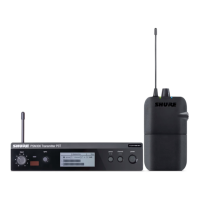
P3RA Receiver
For more demanding applications, Shure offers
the P3RA receiver, which features all-metal
construction and advanced menu navigation
in addition to the features included on the P3R
receiver. For more information, please visit
www.shure.com.
Battery Life
LED Behavior Remaining Runtime (Hours)
Green 5-7
Amber 1-3
Red (solid) 0.5-1
Red (flashing) 0
Battery life was measured using Energizer™ alkaline batteries, under the
following conditions:
• Transmitter sensitivity: Line (+4dBu)
• Audio output from receiver: 100 dB through Shure SE112 earphones
Power-save mode: When there are no earphones plugged in, the receiver enters
power-save mode to preserve battery life. The LED slowly fades on/off in this
mode and continues to display the color that represents the remaining battery life.


 To Next Page