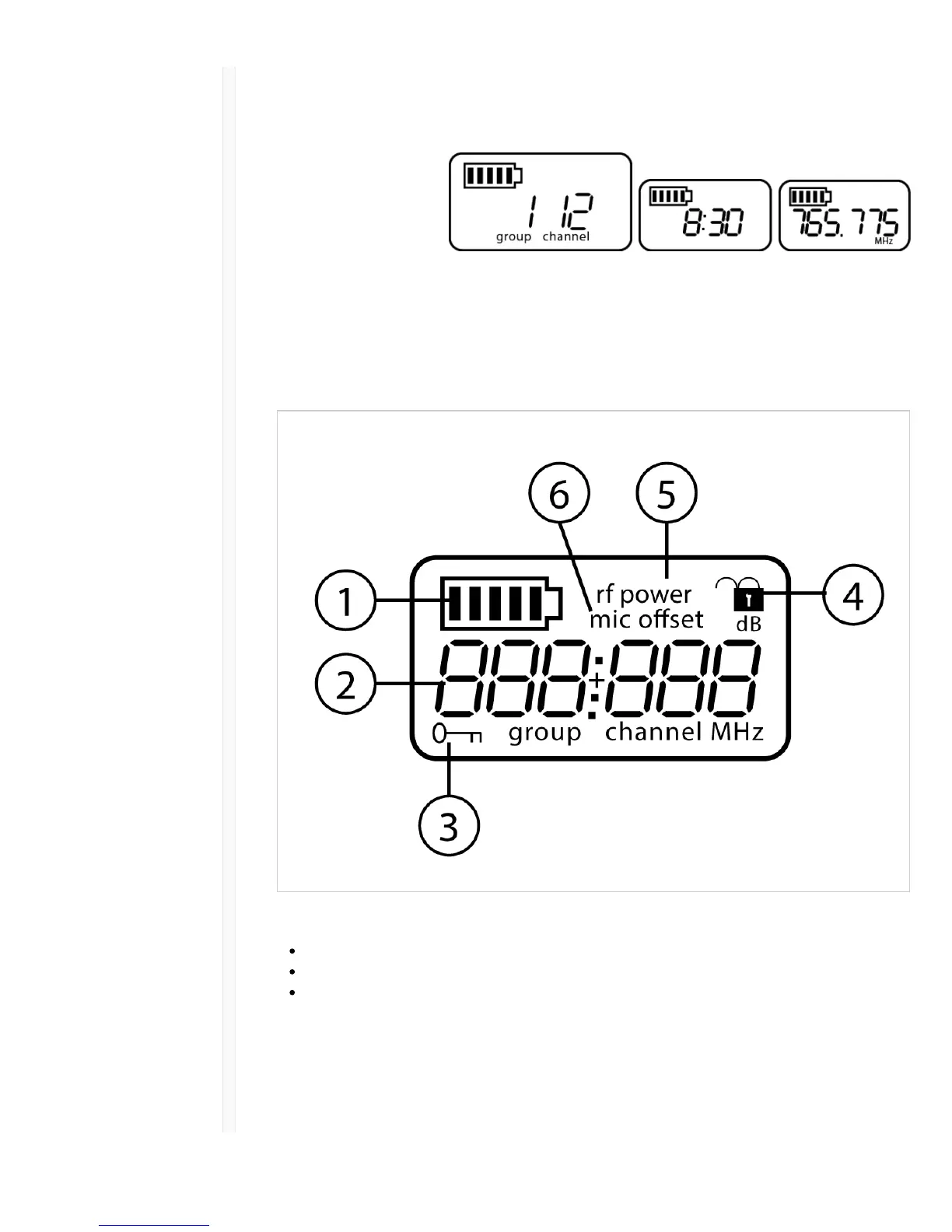
ɠ Battery Indicator Bars displayed indicate remaining battery life.
ɡ Home Screen Display:
Group and
Channel/Frequency/SB900
Battery Runtime
Use the arrow keys to select one of the following home screen displays:
Group and Channel SB900 battery runtime Frequency
ɢ Encryption Status Icon displayed when encryption is enabled.
ɣ Lock Displayed when transmitter controls are locked.
ɤ RF Power RF power setting (Lo or Hi).
ɥ Mic Offset Displays mic offset level in 3 dB increments.
Transmitter controls
To increase, decrease or change a parameter, use the ▼ buttons
To save a menu change, press enter
To exit a menu without saving a change, press the menu button



 To Next Page