English
3
SYSTEM SETUP
BATTERY INSTALLATION
1. Slide the transmitter POWER switch to the OFF position.
2. T1, T1G, T11: Press down on the OPEN side of the battery
compartment cover, slide it back and flip it open, as shown
in Figure 4.
T2: Unscrew the transmitter battery cover to expose the bat-
tery terminals, as shown in Figure 3.
FIGURE 4. BATTERY INSTALLATION
+
-
9 V
3. Insert a fresh 9V alkaline battery into the battery compart-
ment (A Duracell MN1604 is recommended and included with
the system). A fresh 9V alkaline battery will typically provide
18 hours of performance time. A fully charged 8.4V NiCad
battery will provide about 2 hours of performance time.
IMPORTANT: Carbon-zinc and zinc-chloride batteries will
not provide adequate power and are not recommended.
4. Replace the battery cover.
HEADSET ASSEMBLY
1. Refer to the tag attached to the headset for assembly in-
structions. After assembling the WH20, adjust the head-
band and place it on your head.
2. Position the microphone over the corner of your mouth,
about 1/2 inch away. See Figure 5.
3. To reduce pops and breath noise, place the supplied foam
windscreen over the microphone.
FIGURE 5. HEADSET MICROPHONE POSITION
BODYPACK TRANSMITTER SETUP
(T1, T1G, T11)
1. Attach the transmitter to your belt, guitar strap, or waistband
as shown in Figure 6. Depress the tab marked PRESS and
slip the belt or strap between the transmitter body and the
belt clip. For added stability, draw the strap or belt toward the
clip’s top wire, especially when using thin guitar straps.
T1/T1G T11
FIGURE 6. TRANSMITTER SETUP
2. Plug your guitar, headset microphone, or lavalier micro-
phone into the transmitter.
RECEIVER SETUP
1. Connect the receiver to the power supply. Plug one end of the
AC power adapter into the DC INPUT connector on the back
of the receiver. Plug the other end into an AC power source.
The green POWER light on the receiver will glow.
T4N: Loop the power cable around the cable retainer on the
bottom of the receiver. See Figure 7.
FIGURE 7. T4N POWER CABLE RETAINER
12
2. Connect the receiver output. The Guitarist: plug a standard
guitar cable into the receiver’s output connector. Plug the
other end into a guitar amplifier, as shown in Figure 8. The
Headset, Vocalist, Presenter, or Bodypack: Use a cable
with a 1/4 inch phone plug (T3, T4N) or a female XLR con-
nector (T4N). Connect the receiver to a mic level input of a
mixer or PA system (Figure 8).
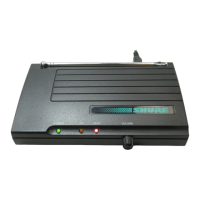
3. Extend antenna(s). T3: The antenna should be fully ex-
tended and vertical, as shown in Figure 8. T4N: The anten-
nas should be fully extended and angled away from each
other, at an angle of 45 degrees from vertical, as shown in
Figure 8.


 To Next Page
 Loading...