EasyManua.ls Logo

SICK microScan3 - PROFINET - User Manual

SICK microScan3 - PROFINET
18 pages
Go to English
To Next Page IconTo Next Page
Loading...
M O U N T I N G I N S T R U C T I O N S
microScan3 – PROFINET (RJ45, SCRJ)
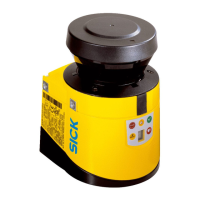
Safety laser scanner
de
en
Question and Answer IconNeed help?

Do you have a question about the SICK microScan3 - PROFINET and is the answer not in the manual?

SICK microScan3 - PROFINET Specifications

General IconGeneral
BrandSICK
ModelmicroScan3 - PROFINET
CategoryScanner
LanguageEnglish

Summary

About this document

Safety Information

DANGER: Hazard due to lack of effectiveness of the protective device. Non-compliance can lead to dangerous states.

Device overview

Changing position of the system plug

Installing the rear system plug

Procedure for relocating the system plug to the rear of the safety laser scanner for better cable management.

Mounting the safety laser scanner directly

Connection overview

Pin assignment

Voltage supply (XD1)

Pin assignment details for the M12 male connector used for voltage supply.

Alternative FE connection

Details on connecting the functional earth (FE) using screw connections and suitable cable lugs.

Ethernet for PROFINET PROFIsafe, data output, configuration and diagnostics (XF1, XF2)

Replacing the safety laser scanner

Replacing the safety laser scanner without system plug

Completely replacing the safety laser scanner

Replacing the system plug

Related product manuals