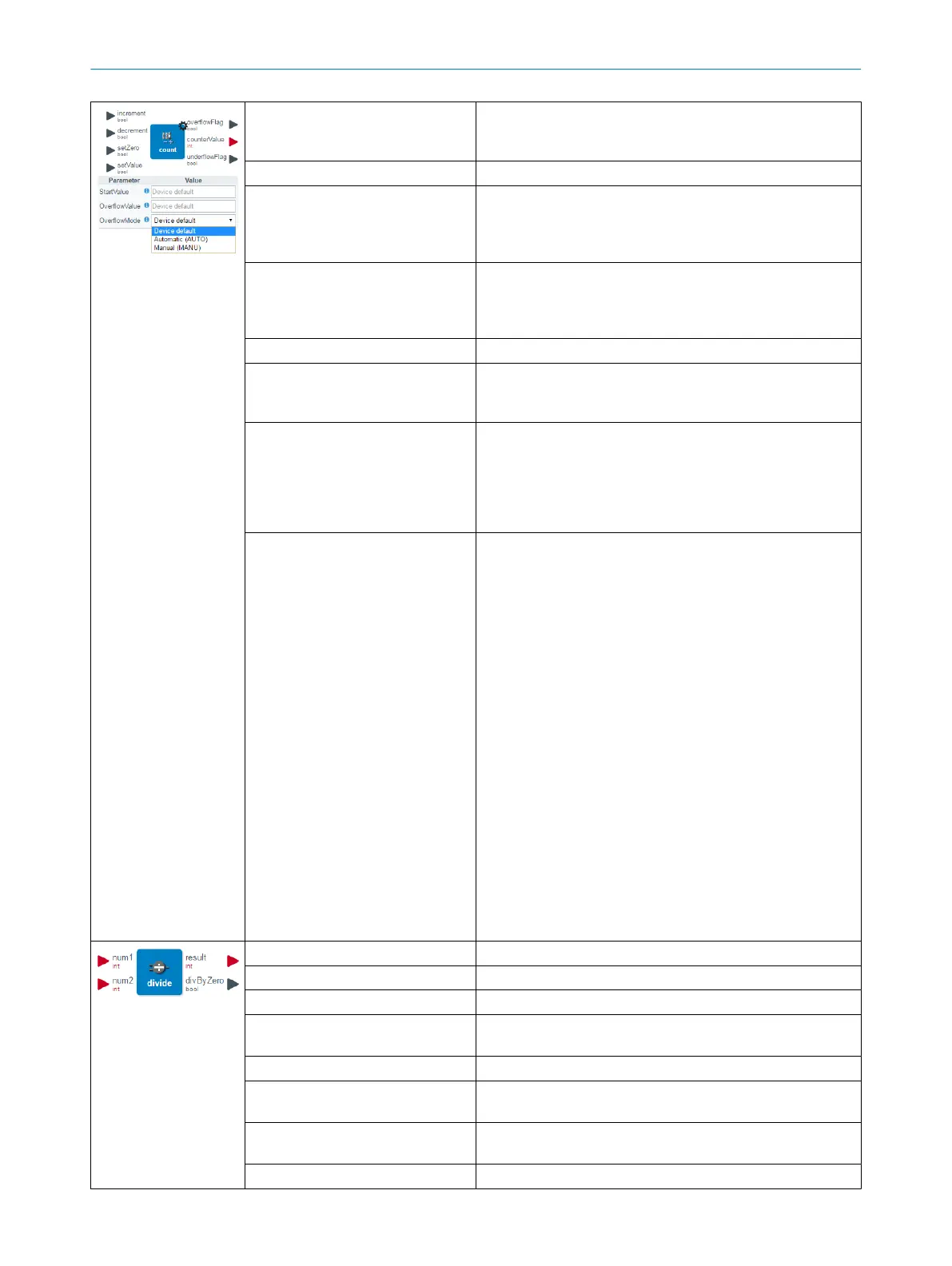
Description Event counter for digital signals.
Maximum switching frequency (e. g. for a NOT gate): 35 Hz
Maximum switching frequency for the Counter: 90 Hz
Number of inputs 4
Input data type Input 1 ("Up"): 1-bit
Input 2 ("Down"): 1-bit
Input 3 ("Reset to 0"): 1-bit
Input 4 ("Set to start value"): 1-bit
Input description increment: value will be counted up
decrement: value will be counted down
setZero: set counter to zero
setValue: set counter to StartValue
Number of outputs 3
Output data type Output 1 ("Overflow"): 1-bit
Output 2 ("Counter value"): 32-bit
Output 3 ("Underflow"): 1-bit
Output description overflowFlag: Bit is set if the counter value exceeds the over‐
flow value
counterValue: Current counter value. Counter values are NOT
stored by a power cycle.
underflowFlag: Bit is set if the value is below the overflow
value. The default overflow value is 4,294,967,295.
Settings StartValue: Counter value that is set when “setValue” is trig‐
gered (default: 0)
OverflowValue: Maximum value of the counter output
(default: 4,294,967,295)
OverflowMode: Behavior of the counter value in the event of
an underflow or overflow
AUTO: After reaching the overflow value, the counter is auto‐
matically reset to the defined start value.
MANU: After reaching the overflow value, the counter value
can only be reset manually by the "setZero" or "setValue"
signal.
Additional information: When the maximum counter value
(overflow value) is reached, the overflow output is set to
"High". However, there is a difference between the automatic
and manual modes.
The automatic mode the value will be set to 0 on next rising
edge of the increment input and of course the counter value
can be changed by the setZero or setValue input.
In the manual mode, the countervalue will stay on the over‐
flowvalue until a rigsing edge on the decrement, setZero or
setValue input is detected.
The default value for the counter start is 0, but it can be set to
any value within the range (32bits).
Description Division between the two input values.
Number of inputs 2
Input data type Integer
Input description num1: first input value
num2: second input value
Number of outputs 2
Output data type Output 1 ("/"): Identical to input data type
Output 2 ("/0"): 1-bit
Output description result: Result after dividing the two input values
divByZero: When dividing by 0 (not possible) this output is set
Settings No settings available
DEVICE FUNCTIONS 8
8024482.1FJ7 /2022-05-31 | SICK O P E R A T I N G I N S T R U C T I O N | Sensor Integration Gateway - SIG200
81
Subject to change without notice



 To Next Page