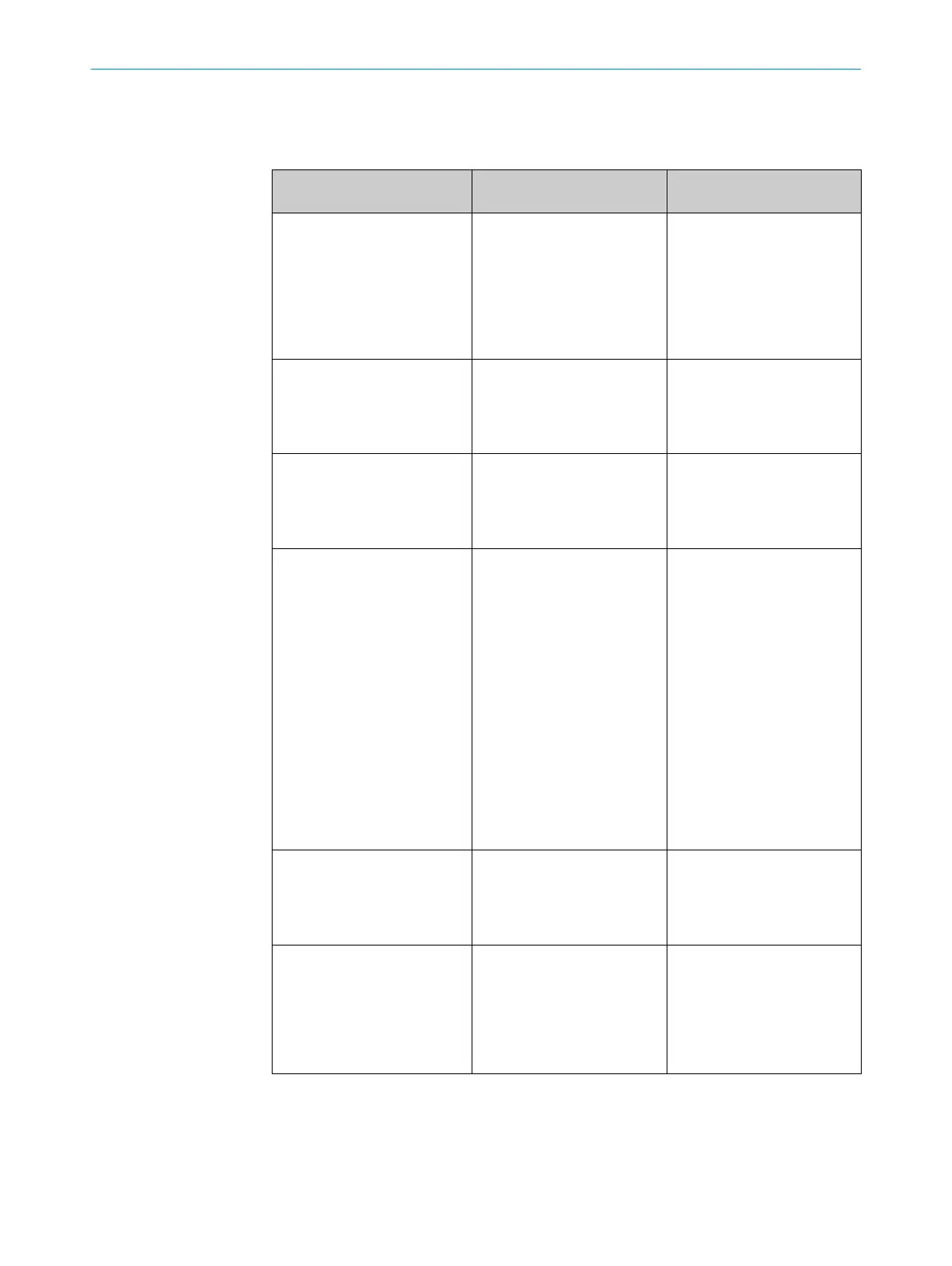
14 Tabelle Fehlerdiagnose
Anzeige-LED / Fehlerbild /
LED indicator/f
ault pattern
Ursache /
Cause
Maßnahme /
Measures
grüne LED leuchtet nicht /
Green LED does no
t light up
keine Spannung oder Span‐
nung unterhalb der Grenz‐
werte /
No voltage or voltage below
the limit values
Spannungsversorgung prüfen,
den gesamten elektrischen
Anschluss prüfen (Leitungen
und Steckerverbindungen) /
Check the power supply,
check all electrical connecti‐
ons (cables and plug connecti‐
ons)
grüne LED leuchtet nicht /
Green LED does no
t light up
Spannungsunterbrechungen /
Voltage interruptions
Sicherstellen einer stabilen
Spannungsversorgung ohne
Unterbrechungen /
Ensure there is a stable power
supply without interruptions
grüne LED leuchtet nicht /
Green LED does no
t light up
Sensor ist defekt /
Sensor is faulty
Wenn Spannungsversorgung
in Ordnung ist, dann Sensor
austauschen /
If the power supply is OK,
replace the sensor
gelbe LED blinkt /
Yello
w LED flashes
Sensor ist noch betriebsbe‐
reit, aber die Betriebsbedin‐
gungen sind nicht optimal /
Sensor is still ready for opera‐
tion, but the operating conditi‐
ons are not ideal
Betriebsbedingungen prüfen:
Lichtstrahl (Lichtfleck) voll‐
ständig auf das Objekt aus‐
richten / Reinigung der opti‐
schen Flächen / Empfindlich‐
keit (Potentiometer) neu ein‐
stellen / Schaltabstand über‐
prüfen und ggf. anpassen,
siehe Grafik F. /
Check the operating conditi‐
ons: Fully align the beam of
light (light spot) with the
object. / Clean the optical sur‐
faces . / Readjust the sensiti‐
vity (potentiometer) / Check
sensing range and adjust if
necessary; see graphic F.
gelbe LED leuchtet, kein Objekt
im Str
ahlengang /
Yellow LED lights up, no object
in the path of the beam
Abstand zwischen Sensor und
Hintergrund ist zu gering /
/ Distance between the sen‐
sor and the background is too
short
Schaltabstand verringern,
siehe Grafik F /
Reduce the sensing range,
see graphic F
Objekt ist im Strahlengang,
gelbe LED leuc
htet nicht /
Object is in the path of the
beam, yellow LED does not
light up
Abstand zwischen Sensor und
Objekt ist zu groß oder Schalt‐
abstand ist zu gering einge‐
stellt /
Distance between the sensor
and the object is too long or
sensing range is set too short
Schaltabstand vergrößern,
siehe Grafik F /
Increase the sensing range,
see graphic F
14 TABELLE FEHLERDIAGNOSE
10
8011449.126R | SICK
Subject to change without notice











 To Next Page