EasyManua.ls Logo

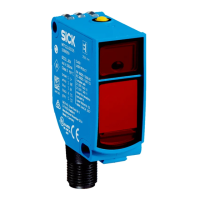
SICK PowerProx WTT12L - User Manual

SICK PowerProx WTT12L
109 pages
Print Icon
To Next Page IconTo Next Page
Loading...
O P E R A T I N G I N S T R U C T I O N S
PowerProx - WTT12L
MultiTask photoelectric sensor
en / de / fr / it / pt / es / zh / ja / ru

Table of Contents

Other manuals for SICK PowerProx WTT12L

Questions and Answers

  • J
    Jose BenderJul 28, 2025
    Why is the green LED not lighting up on my SICK Accessories?
    • M
      Mark WoodsJul 29, 2025
      The green LED might not light up on your SICK Accessories due to several reasons: * There could be no voltage or the voltage might be below the acceptable limit. In this case, check the power supply and all electrical connections, including cables and plugs. * Voltage interruptions may occur. Ensure a stable power supply. * The sensor itself might be faulty. If you've confirmed the power supply is working, consider replacing the sensor.
  • P
    pballardAug 7, 2025
    What to do if the green LED lights up but there is no output signal when an object is detected by my SICK Accessories?
    • P
      Pamela SmithAug 8, 2025
      If the green LED is lit, but there's no output signal when an object is detected by your SICK Accessories, the test input (Test) might not be connected properly. Refer to the note on connecting the TI.
  • K
    Katherine HowardAug 17, 2025
    How to fix switching outputs not according to graphic C on SICK Accessories?
    • S
      Sarah BowenAug 18, 2025
      If the switching outputs of your SICK Accessories are not functioning according to graphic C, it might be due to manual parameter settings deviating from the standard. To resolve this, initiate a factory reset. This will reset the switching outputs to their default factory settings.

Summary

General Safety Notes

Safety Notes

Read instructions, trained specialists, not a safety component, UL usage, protect from moisture/contamination.

Product Description

Correct Use

Opto-electronic photoelectric proximity sensor for object detection. Warranty void if used otherwise.

Dimensional Drawings

Additional Functions

Test Input

Test input (TI/Test) to switch sender off for checking function.

Commissioning

Check Application Conditions

Adjust sensing range and distance based on object/background remission using diagrams.

Mounting

Mount using bracket, note torque and object direction.

Electronics

Connection types for standard I/O and IO-Link modes.

Alignment

Sensor with Potentiometer

Adjust sensing range with potentiometer (4 rotations). Clockwise increases range.

Sensor with Teach-in Button

Adjust sensing range by pressing the teach-in button.

Configuration

WT Teach Modes

Describes single teach-in and ET teach-in modes with timings and alignment.

Troubleshooting

Troubleshooting Table

Table of fault patterns, causes, and measures for sensor malfunctions.

Technical Data

Disassembly and Disposal

Maintenance

Maintenance Recommendations

Sensors are maintenance-free, but cleaning lenses and checking connections are recommended.

SICK PowerProx WTT12L Specifications

General IconGeneral
AdjustmentPotentiometer
Supply voltage10 V DC ... 30 V DC
Output current Imax.100 mA
Enclosure ratingIP67
Protection classIII
Ripple≤ 5 Vpp
Switching outputPNP
Response time0.5 ms
Switching frequency1 kHz
Housing materialPlastic
Light sourceLED
Switching modeLight ON/Dark ON

Related product manuals