3
Last update: 01.08.2013
Operating instructions
GENIUS
Description of device and functions
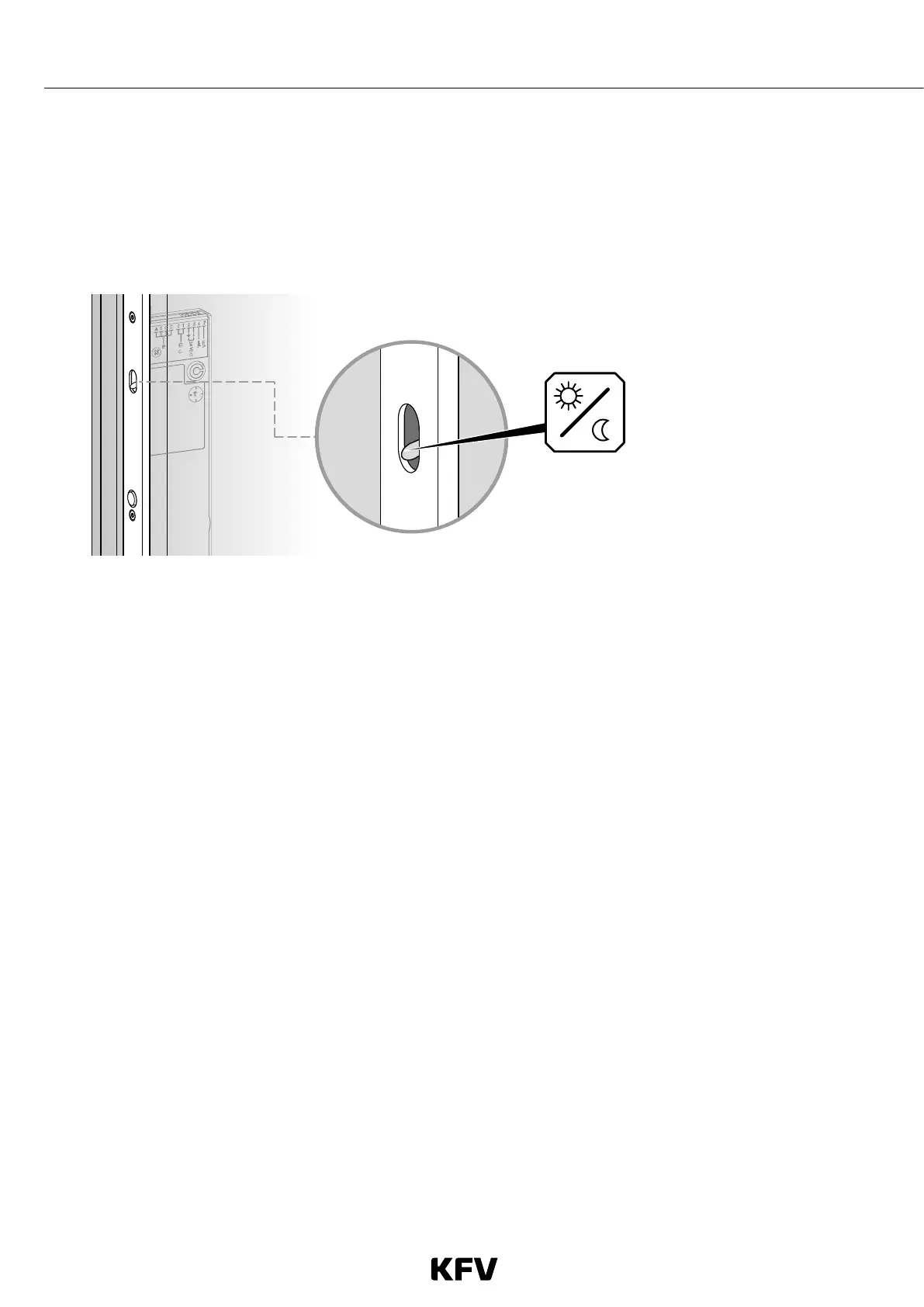
Day/night mode
The desired mode (day or night) can be selected using the toggle switch on the GENIUS door lock.
Day mode
Switch position up
• The door is held shut by the latch.
• To allow the door to open, the latch retracts into the lock.
• This mode is recommended for doors with heavy traffic.
Night mode
Switch position down.
• The door is locked automatically after each opening.
• When the door is opened it is also unlocked automatically.
• The latch retracts into the lock for approximately 7 seconds. If the door is not opened during this time, it is locked
again after these 7 seconds have elapsed.
Note: If the door needs to be locked (e.g. at night, or when the building is empty), night mode must be selected.
Fig. 1: Toggle switch for selecting day/night mode



 To Next Page