7
Last update: 01.08.2013
Operating instructions
GENIUS
Programming
Programming the handheld wireless transmitter
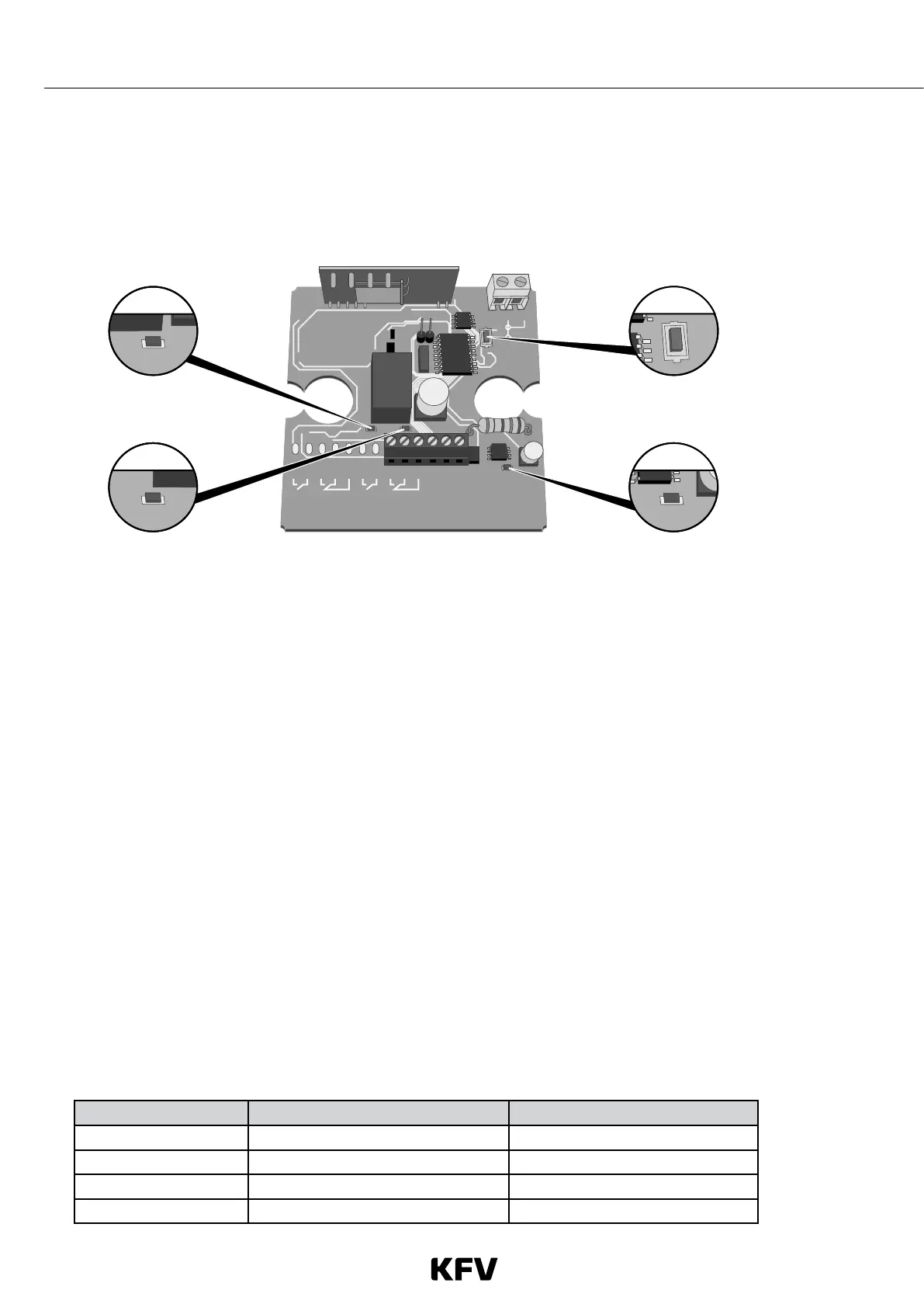
› Unscrew the cover on the receiver to access the programming button.
14
P1
15
12
ch1ch2 ch3 ch4 ac / dc
345678910111213
01224
-++
L2
L3
P1
L1
› The green LED L1 lights up.
› Press down button P1 until the green LED L2 lights up.
› Press the required button on the handheld wireless transmitter.
› LED L2 flashes once and the relay is audibly activated.
› You have now programmed the button on the handheld wireless transmitter.
Note: If the red LED L3 lights up at the same time as the green LED L2, this indicates that the button on the handheld
wireless transmitter was already programmed, but has now been deleted.
The other button on the handheld wireless transmitter can be assigned to the same wireless receiver or to a different
one, as required.
Deleting handheld wireless transmitters
If a handheld wireless transmitter has been lost or stolen, it cannot be deleted individually; all handheld wireless trans-
mitters must be deleted at once.
› Press down button P1 until the green LED L2 lights up.
› Briefly release button P1, then press it down again until the red LED L3 and the green LED L2 lights up three times.
› You have now deleted all handheld wireless transmitters. The remaining handheld wireless transmitters must be pro-
grammed in again.
Range between handheld wireless transmitter and receiver
Medium Range without aerial Range with aerial
Steel approx. 2 m approx. 5 m
Concrete approx. 10 m approx. 20 m
Timber, aluminium, PVC approx. 20 m approx. 30 m
Air approx. 30 m approx. 50 m



 To Next Page