
 Need help?
Do you have a question about the Siemens 4 Series and is the answer not in the manual?
Essential safety precautions and procedures related to the appliance's technical components and materials.
Immediate actions and safety measures to take in case of appliance damage or refrigerant leaks.
Specific safety guidelines for managing children's interaction with the appliance and its parts.
Details on the permitted ambient temperature ranges for different climate classes.
Guidance on ensuring proper airflow around the appliance for optimal performance.
Instructions for safely connecting the appliance to the electrical power supply.
Identification and description of the appliance's various buttons, displays, and indicators.
Instructions for setting and displaying the desired temperature in the refrigerator compartment.
Instructions for setting and displaying the desired temperature in the freezer compartment.
Explanation of the warning signal when the refrigerator compartment door is left open.
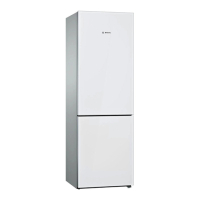
This document provides comprehensive instructions for the safe and efficient use, maintenance, and troubleshooting of your Siemens fridge-freezer, model KG..E... It covers various aspects from initial setup to advanced features, ensuring optimal performance and longevity of the appliance.
The Siemens fridge-freezer is designed for both refrigerating and freezing food, as well as for making ice. It is suitable for use in home environments and operates within specific climate classes, which determine the permissible ambient temperatures for optimal functioning. The appliance features separate compartments for refrigeration and freezing, each with independent temperature controls.
The refrigerator compartment is ideal for storing ready meals, cakes, pastries, preserved food, condensed milk, hard cheese, and cold-sensitive fruits and vegetables. It incorporates different chill zones to accommodate various food types: the coldest zone is located on the rear panel and cold storage compartment, suitable for perishable items like fish, sausage, and meat, while the warmest zone is at the very top of the door, ideal for hard cheese and butter. The temperature in this compartment can be set between +2 °C and +8 °C.
The freezer compartment is designed for storing deep-frozen food, making ice cubes, and freezing fresh food. Its temperature can be adjusted from –16 °C to -24 °C. The appliance also features a "Super" button for super freezing, which rapidly freezes food to preserve its nutritional value, flavor, and appearance. This mode can be activated manually or automatically, especially when warm food items are placed inside.
The appliance is equipped with an On/Off button to switch the entire unit on or off. Temperature selection buttons allow precise control over each compartment's temperature, displayed on dedicated temperature displays. An alarm button is present to silence warning signals, such as those for an open door or a temperature alarm in the freezer compartment. A holiday button enables an energy-saving vacation mode, automatically setting the refrigerator compartment to +14 °C and disabling automatic super freezing.
Installation and Connection: Before switching on, the appliance should be placed in a dry, well-ventilated room, away from direct sunlight and heat sources. Minimum distances from heat sources like electric/gas cookers (3 cm) and oil/coal-fired cookers (30 cm) must be observed. The floor must be stable and level. After installation, it's recommended to wait at least one hour before switching on to allow compressor oil to settle. The appliance requires a 220-240 V/50 Hz alternating current connection via a correctly installed socket with a protective conductor, protected by a 10 A to 16 A fuse. It is compatible with mains and sine-controlled inverters.
Temperature Setting: Temperatures for both refrigerator and freezer compartments are set using dedicated selection buttons. The last selected value is saved and displayed. For perishable food, the refrigerator temperature should not exceed +4 °C.
Holiday Mode: This mode is activated by pressing the holiday button. It sets the refrigerator to +14 °C to save energy during long absences. No food should be stored in the refrigerator compartment during this time.
Alarm Functions:
Usable Capacity: The maximum food capacity is achieved by removing all fittings, allowing food to be stacked directly on shelves and at the bottom of the freezer compartment.
Super Cooling: This feature sets the refrigerator temperature to its coldest setting for approximately 15 hours, useful for fast cooling of drinks or before adding large quantities of food.
Super Freezing: This function ensures food freezes solid as quickly as possible. It can be activated manually for 24 hours before adding fresh products, or automatically for smaller amounts of food placed in the top frozen food container or on the left side of the freezer.
Storing Frozen Food: Frozen food containers should be inserted all the way to ensure unrestricted air circulation. For larger quantities, food can be transferred to glass shelves and stacked on the freezer base after removing containers.
Freezing Fresh Food: Only fresh and undamaged food should be frozen. Blanching vegetables before freezing helps retain nutritional value, flavor, and color. Food should be placed in airtight containers to prevent flavor loss and drying out. Keep fresh food separate from already frozen food.
Packing Frozen Food: Use suitable packaging like cling wrap, polyethylene film, aluminum foil, or freezer containers. Remove air before sealing and label with contents and freezing date. Avoid wrapping paper, greaseproof paper, cellophane, bin liners, and used shopping bags.
Interior Fittings (Model Dependent):
Cleaning the Appliance:
Defrosting:
Odour Management: If unpleasant odors occur:
Light (LED): The appliance features a maintenance-free LED light. Any repairs to the light should only be performed by customer service or authorized technicians.
Appliance Self-Test: The appliance has an automatic self-test program to identify faults. To start:
Customer Service: Contact information for customer service, including product and production numbers (found on the rating plate, Fig. 20), is provided in the enclosed customer service list. This helps prevent unnecessary call-outs and associated costs.
 General
| Capacity | Varies by model |
|---|---|
| Energy Efficiency Class | Varies by model |
| Noise Level | Varies by model |
| Number of Doors | Varies by model |
| Defrost System | Varies by model |
| Adjustable Shelves | Yes |
| Ice Maker | Available in select models |
| Water Dispenser | Available in select models |
| Dimensions (HxWxD) | Varies by model |
| Weight | Varies by model |


 To Next Page
