Ethernet Communication
Ethernet
Function Description
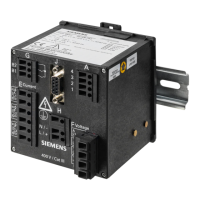
The device has a 100Base-T Ethernet port (RJ45 connectors) at the top side of the device. The Ethernet port
can be configured to be an Ethernet network with 1 MAC and 1 IP address.
Internal Ethernet Switch
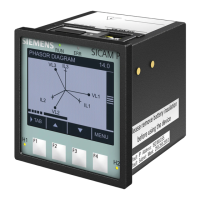
SICAM P850/P855 is equipped with an internal Ethernet switch. 2 devices with Ethernet interface can be
connected via a Y bus cable (Y adapter 7KE6000-8GD00-0BA2). Cascading of several devices is possible (Daisy
chain) like shown in the following figure. The internal two-port switch function from SICAM P850/P855 must
be activated during the device parameterization.
[dw_ethernet_switch_p85x, 1, en_US]
Figure 2-25 Cascade Connection
Configuration via Web Pages
Configuration of the Communication Ethernet
To change the Ethernet communication settings in the Configuration tab, proceed as follows:
•
In the navigation window, click Communication Ethernet.
2.6
2.6.1
2.6.1.1
2.6.1.2
Basic Functions
2.6 Ethernet Communication
SICAM, SICAM P850/P855 7KG85X, Manual 63
E50417-H1040-C482-A9, Edition 03.2022



 To Next Page
 Loading...