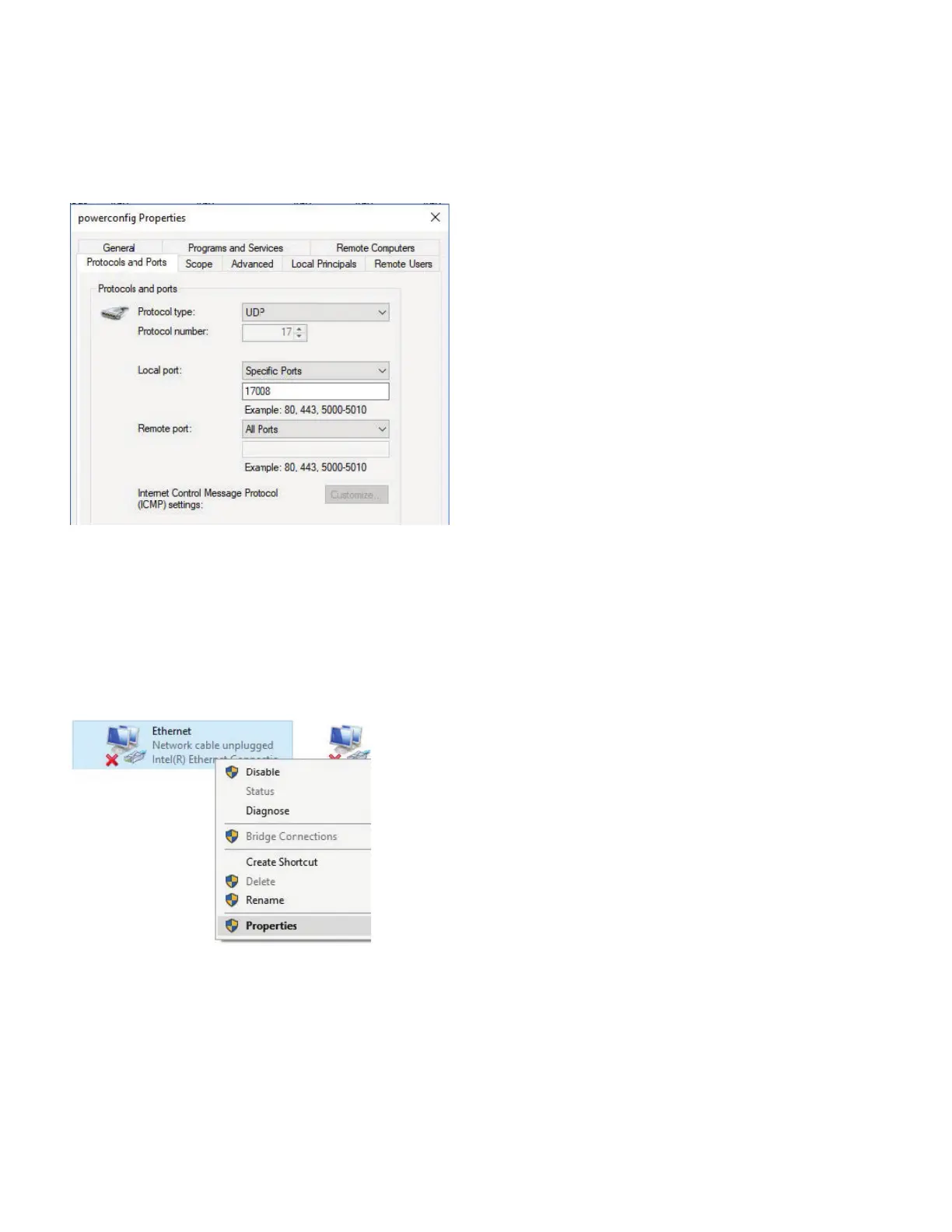
Click OK and close all the dialogs.
To configure the COM connected directly to your computer, you will need to configure an Ethernet port with a static IP
address for the duration of the process. Most computers get their IP addresses from a central router via DHCP (Dynamic Host
Configuration Protocol).
) Open Settings, Network and Internet then Change Adapter Settings
) Select your Ethernet adapter, right click and select Properties:
How to configure a new COM with powerconfig
Appendix : Configuring Windows Defender Firewall to allow COM discovery
powerconfig | Quick Start Guide



 To Next Page