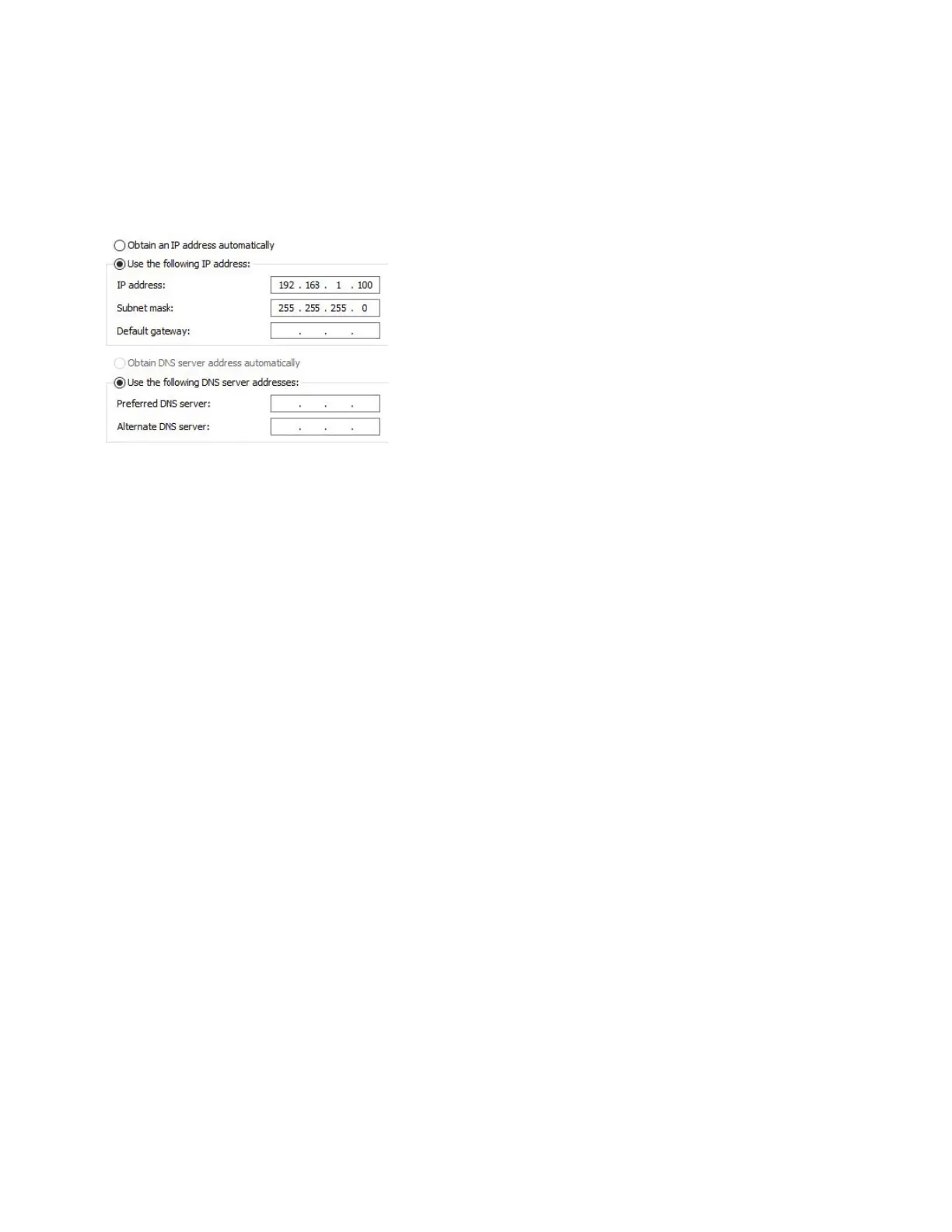
) Confirm any "Are you sure?" dialogs, find and select Internet Protocol Version ITCP/IP v, click Properties:
) Enter an IP address in the same range as will be used, along with the appropriate Subnet mask. The other
fields can be left blank. Click OK to close all dialogs.
How to configure a new COM with powerconfig
Appendix : Configuring Windows Defender Firewall to allow COM discovery
Quick Start Guide | powerconfig



 To Next Page