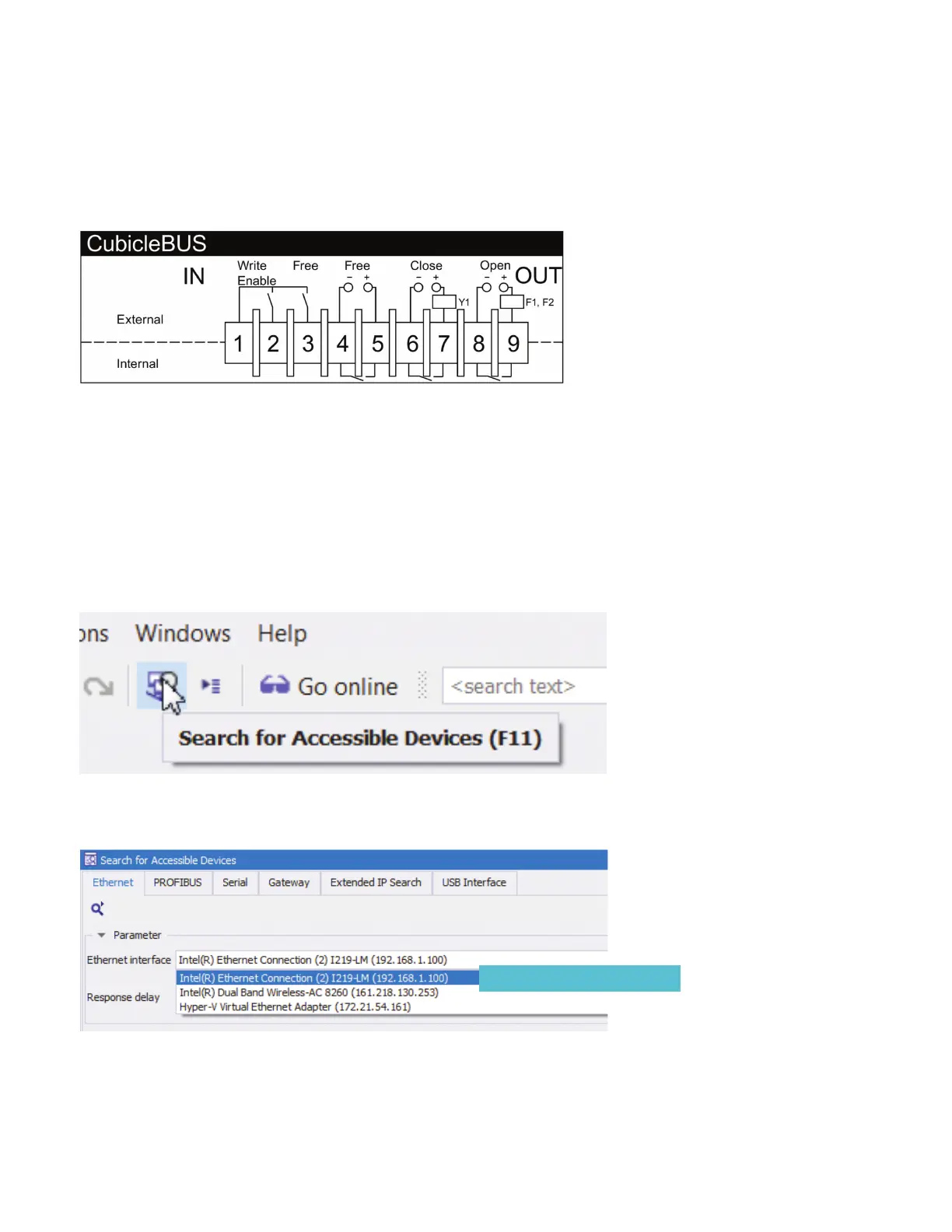
First: Make sure the "Write Enable" jumper is in place (between terminals and ) so that parameters can be written.
To configure your COM, you can either connect to it directly to your computer or connect it to a network to which your computer
is connected.
If you connect directly, you will need to make sure Windows Defender Firewall allows UDP Port . The process for doing this is
in an appendix at the end of this guide.
To set the IP address of the COM, connect your COM to your network or to the Ethernet port on your computer. Open power-
config with a new project.
Search for accessible devices:
Select the network adapter connected to the network to which your COM is connected then click search:
After the device is found, click on the locked slider to unlock the device so that the parameters can be changed.
Search
Previously configured adapter
How to configure a new COM with powerconfig
Quick Start Guide | powerconfig



 To Next Page