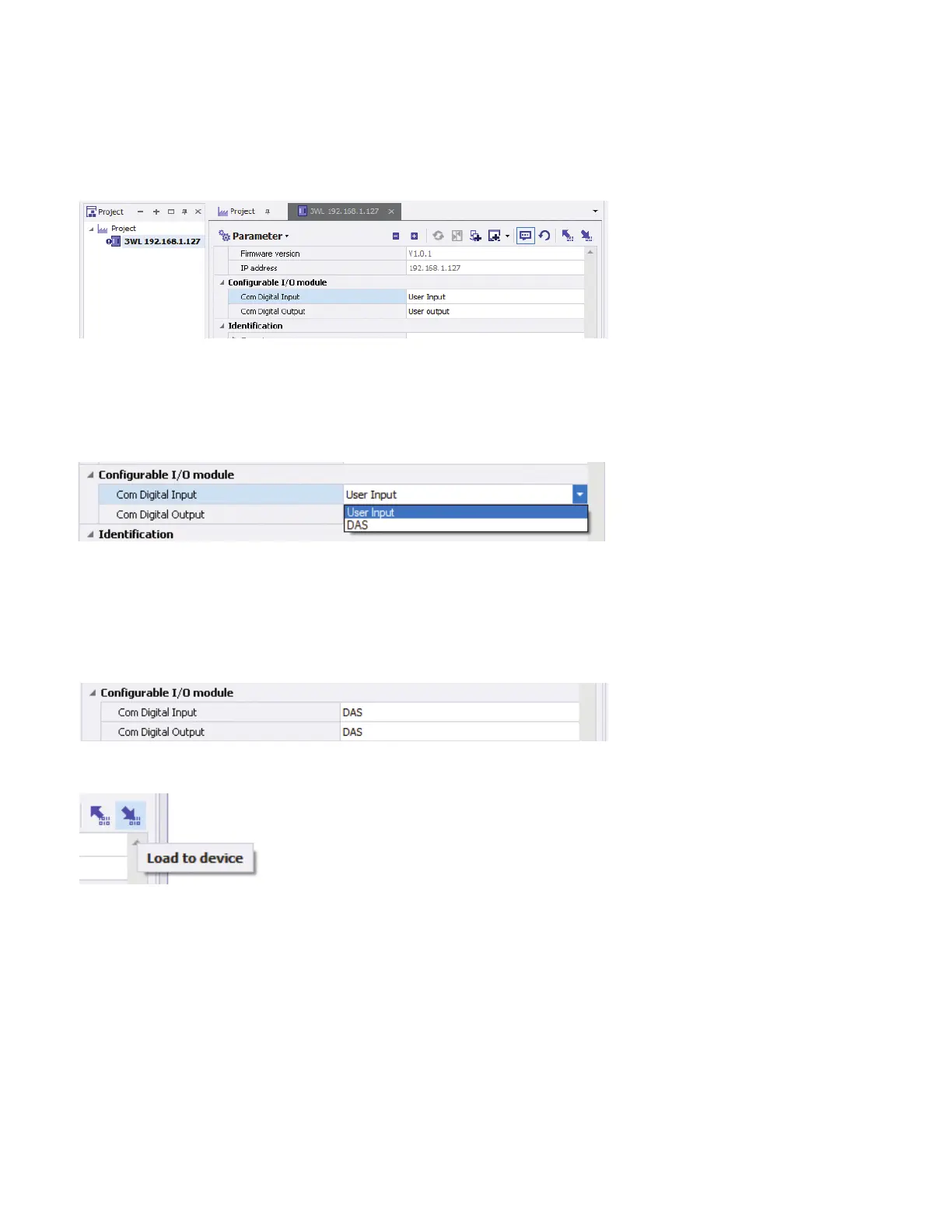
In this configuration, the status of the "Free" or user-configurable input (terminals and ) can be queried via communication but
controls nothing.
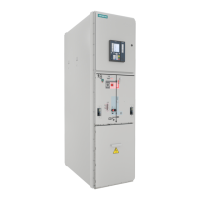
To configure the input to change the active parameter set, select DAS from the drop down (there are only two choices).
In the default configuration, the “Free” or user-configurable output can be opened and closed via communication. It can also be
configured to act as an additional Bell Alarm (closed when the trip unit has tripped the breaker and staying closed until the tripped
state is reset via the CLEAR button on the trip unit or via communications). For DAS applications, it can be configured to close to
indicate that the trip unit is using Parameter Set B as its active parameter set (B is normally configured as the DAS or Maintenance
parameter set).
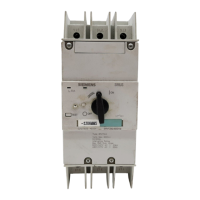
When set to be the DAS activation input and indication output, the parameters should be set as shown:
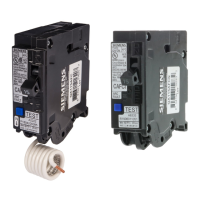
Once set, the parameters must be loaded back to the COM to take effect.
When utilizing the COM as the DAS activation input and status indication output by performing this configuration, it is important
to understand two important points:
) Parameter Set B (DAS or Maintenance Mode parameters) are selected when the DAS ON/OFF contact is OPEN and
Parameter Set A is selected when the contact is CLOSED.
Switch contact shown in normal operating (Parameter Set A) mode.
How to configure a new COM with powerconfig
Appendix : Configuring the COM for a Dynamic Arc Flash Mitigation application
Quick Start Guide | powerconfig



 To Next Page