13
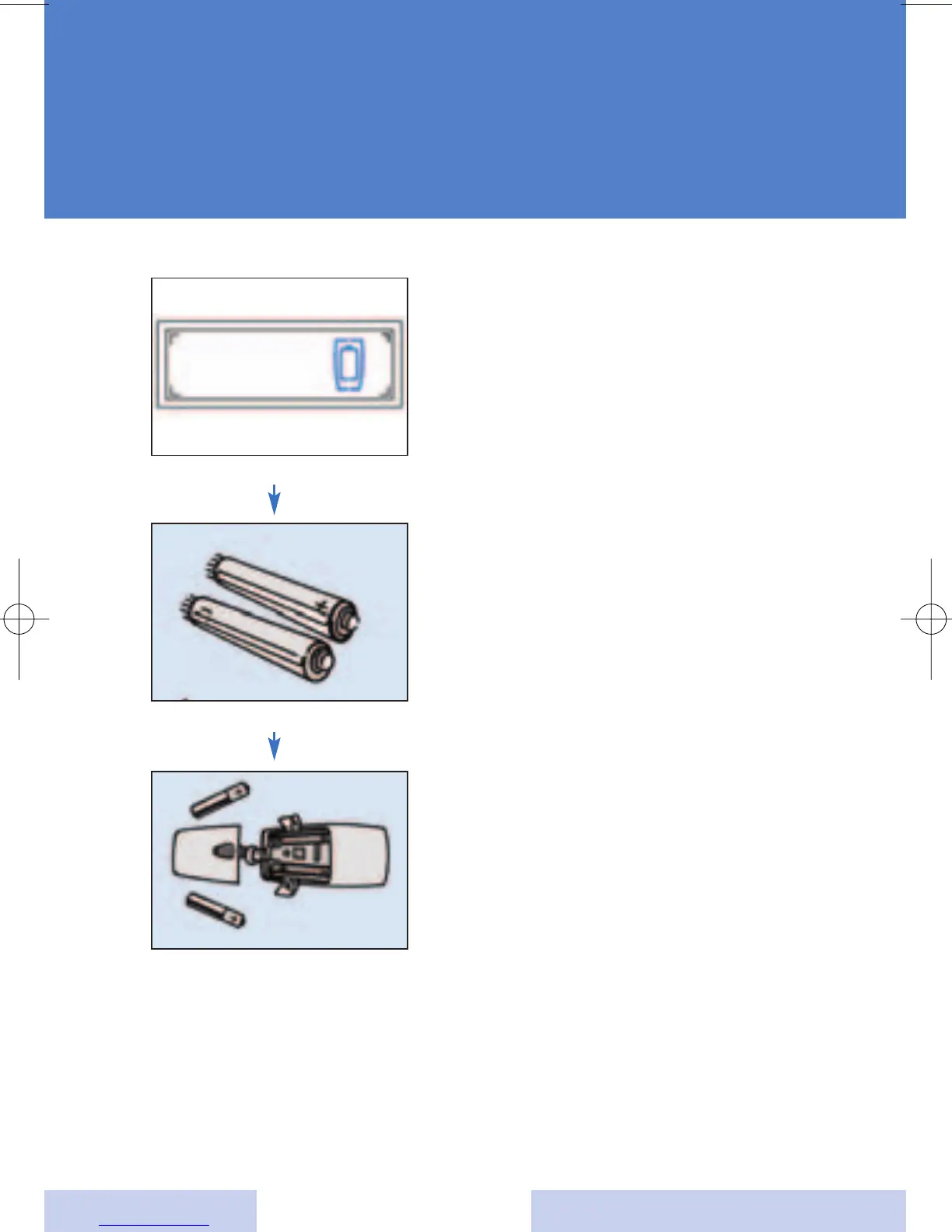
Changing the batteries
The ePocket is powered by two
AAAA batteries. The ePocket
display will indicate that you
need to change the batteries
when the symbol at the left is
displayed.
To change the batteries, gently
pull down the cover of the ePocket
battery compartment until it is
opened. Insert two batteries as
indicated by the polarity symbols
(+ and -) marked inside the
compartment.
Always use new batteries when
replacing dead batteries. Never
mix old and new batteries. Return
dead batteries to your hearing
instrument specialist for proper
disposal.
If you won’t be using your
ePocket for an extended period
time, remove the batteries.
Batteries may leak. Replace
batteries that have leaked
immediately.
a
s
d
ePocket battery empty
AAAA-Batteries
Change batteries







 To Next Page