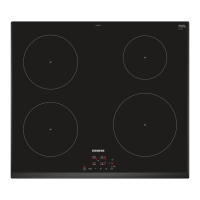
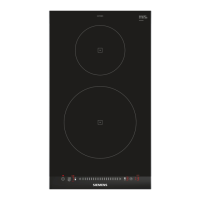
This document provides a comprehensive guide for the Siemens Induction Hob, covering its functions, usage, maintenance, and installation.
Function Description
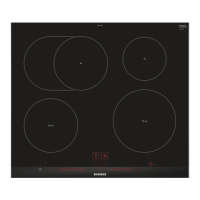
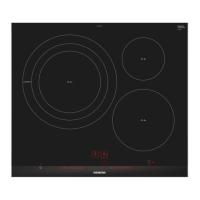
The Siemens Induction Hob utilizes induction technology for cooking, offering several benefits over conventional hobs. Heat is generated directly in the cookware, leading to time and energy savings, improved heat control, and easier cleaning. The appliance features multiple cooking zones with varying diameters and power levels, including a powerBoost function for faster heating of larger volumes of water. Each cooking zone has a residual heat indicator to warn users when the surface is hot. The hob also includes a childproof lock to prevent unintended operation and offers basic settings for customization, such as signal tones and power limitation.
Usage Features
Switching On and Off: The hob is switched on and off using the main switch. It automatically switches off if all cooking zones are inactive for more than 20 seconds.
Setting Cooking Zones: To select a power level, users touch the cooking zone sensor and then use the + or - sensors. The power level can range from 1 (lowest) to 9 (highest).
quickStart Function: If cookware is placed on the hob before it is switched on, the quickStart function automatically detects the cookware and selects the corresponding cooking zone upon activation. Users then have 20 seconds to select the power level before the hob switches off.
Changing Power Level and Switching Off Cooking Zone: To adjust the power level or switch off a cooking zone, select the desired zone and then use + or -. Setting the power level to 0 switches off the cooking zone. A quick switch-off can also be achieved by touching and holding the cooking zone symbol for three seconds.
powerBoost Function: This feature allows for faster heating of larger volumes of water. It is available for specific cooking zones, provided no other cooking zone is in use. If another zone is active, b and 9 will flash, and power level 9 will be activated instead.
Childproof Lock: The hob is equipped with a childproof lock to prevent children from switching it on. It can be manually activated or configured to activate automatically every time the hob is switched off.
Basic Settings: Users can customize various settings to suit their needs, including:
- Childproof lock: Manual, automatic, or switched off.
- Signal tones: All, fault signal only, confirmation signal only, or switched off.
- Power limitation: Adjusts the total power of the hob based on electrical installation conditions.
- Time for selecting the cooking zone: Unlimited or limited to 10 seconds.
- Cookware test: A function to test the quality and suitability of cookware.
- Automatic management with power limitation: Displays the power limit if activated.
- Restoring factory settings: Resets all settings to default.
Cookware Test: This function helps users determine the suitability of their cookware. It involves placing a pot with water on a cooking zone and activating the test via basic settings. After 20 seconds, the display shows a result indicating whether the cookware is suitable, optimal, or not suitable.
Cooking Recommendations: The manual provides a table with recommended power levels and cooking times for various foods, including melting, heating, poaching, boiling, stewing, braising/frying, and deep-frying.
Maintenance Features
Cleaning and Servicing: Regular cleaning is essential to maintain the appliance's efficiency and longevity.
Cleaning Products: Users should only use cleaning products and glass scrapers suitable for glass ceramic surfaces. Unsuitable products, undiluted detergents, abrasive cleaners, or aggressive sprays should be avoided as they can damage the surface. The hob should always be cold before cleaning, except for sugar stains, rice starch, plastic, or aluminum foil, which should be removed immediately with a glass scraper while hot.
Cleaning the Hob:
- Remove heavy soiling with a glass scraper.
- Clean the hob with a cleaning agent for glass ceramic, following the product's instructions.
- Using a special sponge for glass ceramic can achieve good cleaning results.
- Keeping the cookware base clean helps maintain the hob surface.
Cleaning the Hob Surround:
- Clean the hob frame with hot soapy water and a soft cloth. New sponge cloths should be thoroughly washed before use.
- Dry the frame with a soft cloth. Glass scrapers should not be used on the hob frame.
Troubleshooting: The manual includes a troubleshooting section to help users rectify minor faults themselves. It provides a list of common fault displays, their causes, and recommended solutions, such as checking power supply, drying the control panel, or allowing the electronics to cool down. For more complex issues or if the fault code is not listed, users are advised to contact customer service.
Disposal: The appliance and its packaging materials are designed for environmentally friendly disposal and recycling. Users are instructed to unplug the appliance, cut the power cord, and dispose of it according to local regulations. The appliance is labeled in accordance with European Directive 2012/19/EU (WEEE) for the return and recycling of used electrical and electronic appliances.
Customer Service: Genuine spare parts are available from Customer Service for at least 10 years from the date of market placement. Users will need the product number (E-Nr.) and production number (FD), found on the rating plate or glass ceramic, when contacting customer service.



 To Next Page
 General