Installing MK8000 Software
32
Building Technologies 048_DMS_MK8000_ICC_MP4.10_A6V10062407_a_en.doc
Fire Safety & Security Products 06.2007
4.7.1 Installing the MK8000 on the FEP (Distributed Systems)
Note: When you install the MK8000 on a FEP, you need to know the name of the PC
where you want to install the server (Stand-Alone). See the procedure below for in-
structions.
Determining the name of a PC
To find out the name of a PC, do the following:
1. Right-click My Computer and select properties.
The properties window appears.
2. Select the Properties button from the Network ID tab of the Properties window.
The computer name appears.
Installing MK8000 on a FEP
To install MK8000 on a FEP station, do the following:
1. Logon to FEP as Administrator.
2. Insert the DMS8000 Installation CD.
3. In the setup menu (Fig 3 on page 23), launch the MK8000 installation FEP
Station
4. Confirm the destination folder (C:\Program Files\DMS8000).
5. At this point, in relation to the MK8000 internal user definition (refer to section
3.2.2 above), select the security mode, Standard or Restricted.
In case of restricted mode, set the very same username and password as you
did for the Stand-Alone/Server station.
6. Insert the name of the PC where the Stand-Alone MK8000 was installed.
7. Choose the automatic start option.
8. Repeat the steps above for each of the FEP PCs.
At this point you need to connect and activate the hardware key on the Stand-Alone
station. See the DMS8000 Network, Fire, and Intrusion Connectivity Configura-
tion Guide (doc. no.A6V10062425).
4.7.2 Installing the MK8000 on the client (test for Distributed Systems)
To install MK8000 test tool on a client station, do the following:
1. Logon to client as Administrator.
2. Insert the DMS8000 Installation CD.
3. In the setup menu (Fig 3 on page 23), launch the MK8000 installation Test
Client Station
4. Confirm the destination folder (C:\Program Files\DMS8000).
5. Repeat the steps above for each of the Client PCs.
The functions available in the test client software are presented in section 6 on
page 52.
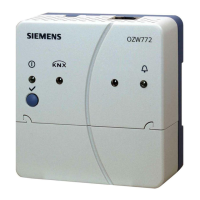
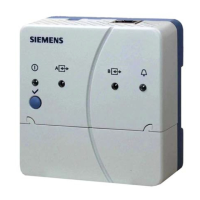
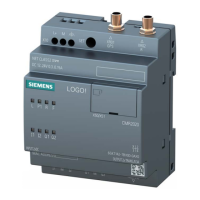
4.7.3 Installing the MK8000 license station (dual-server with Marathon EverRun FT)
In case of dual server solution based on Marathon EverRun FT (see 3.2.1.1 on
page 18), each of the physical servers must be equipped with the “license station”



 To Next Page