Tips for Integrating with an OPC client
71
Building Technologies 048_DMS_MK8000_ICC_MP4.10_A6V10062407_a_en.doc
Fire Safety & Security Products 06.2007
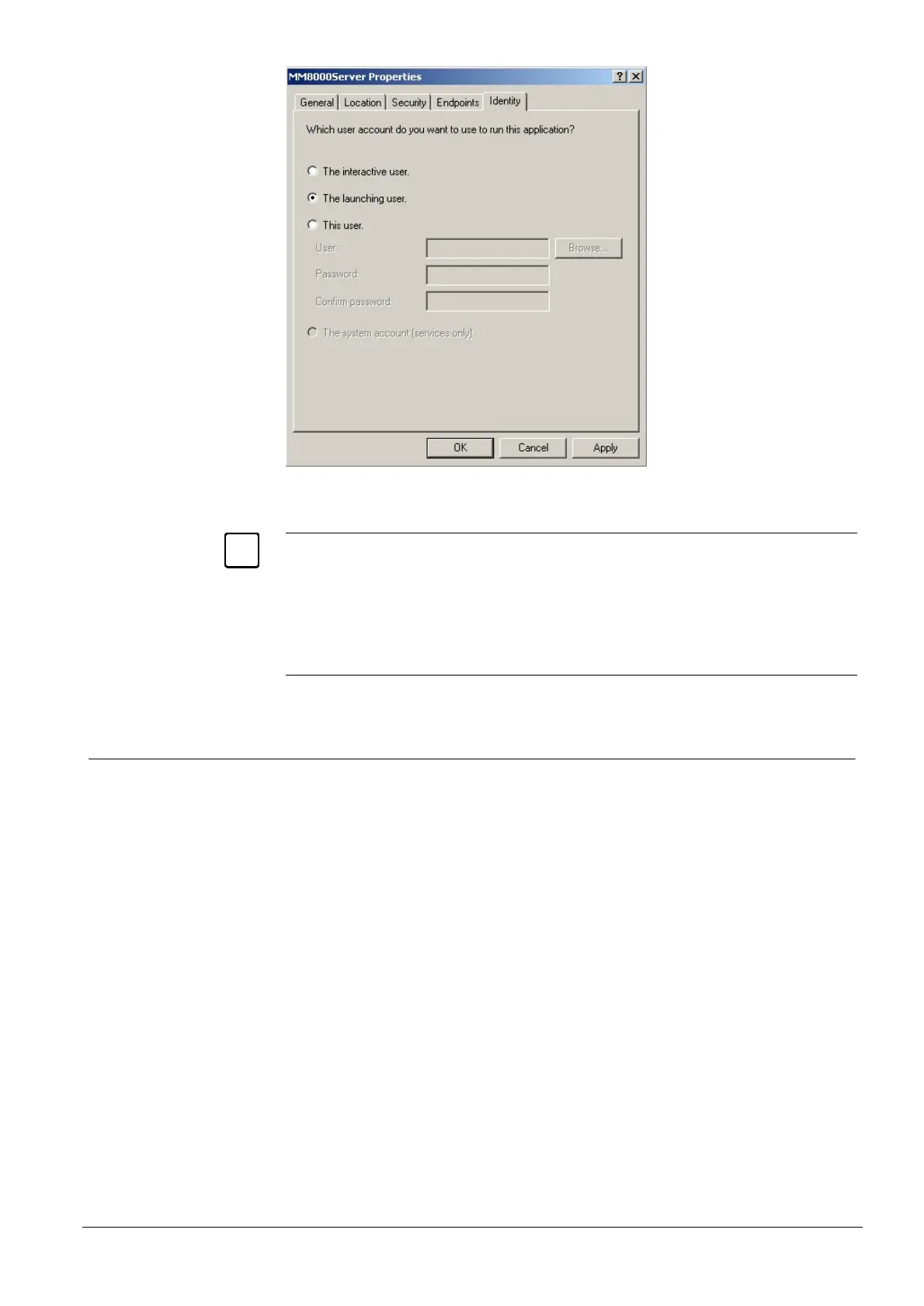
Fig 62 MM8000Server Properties - Identity tab
On Windows XP systems, in case of difficulties related to the DCOM functions, you
can get an advanced diagnostic log by activating the DCOMXPLogEnable.reg com-
mand (see in C:\Program Files\DMS8000\Utilities\Reg).
This command modifies a registry value that results in a detailed DCOM function trac-
ing being enabled in the Windows application event list (start the ‘Event Viewer’ in the
‘Windows Administration Tools’ to see the list).
Use the ‘DCOMXPLogDisable.reg’ command to stop the log being generated.
7.4.3 DCOM settings on OPC clients
In the networked OPC client stations, in order to avoid potential conflicts when
callbacks are sent from the server, the DCOM must have the same setting as that
of the server.










 To Next Page