Configuring the MK8000
44
Building Technologies 048_DMS_MK8000_ICC_MP4.10_A6V10062407_a_en.doc
Fire Safety & Security Products 06.2007
NK822x - Serial link
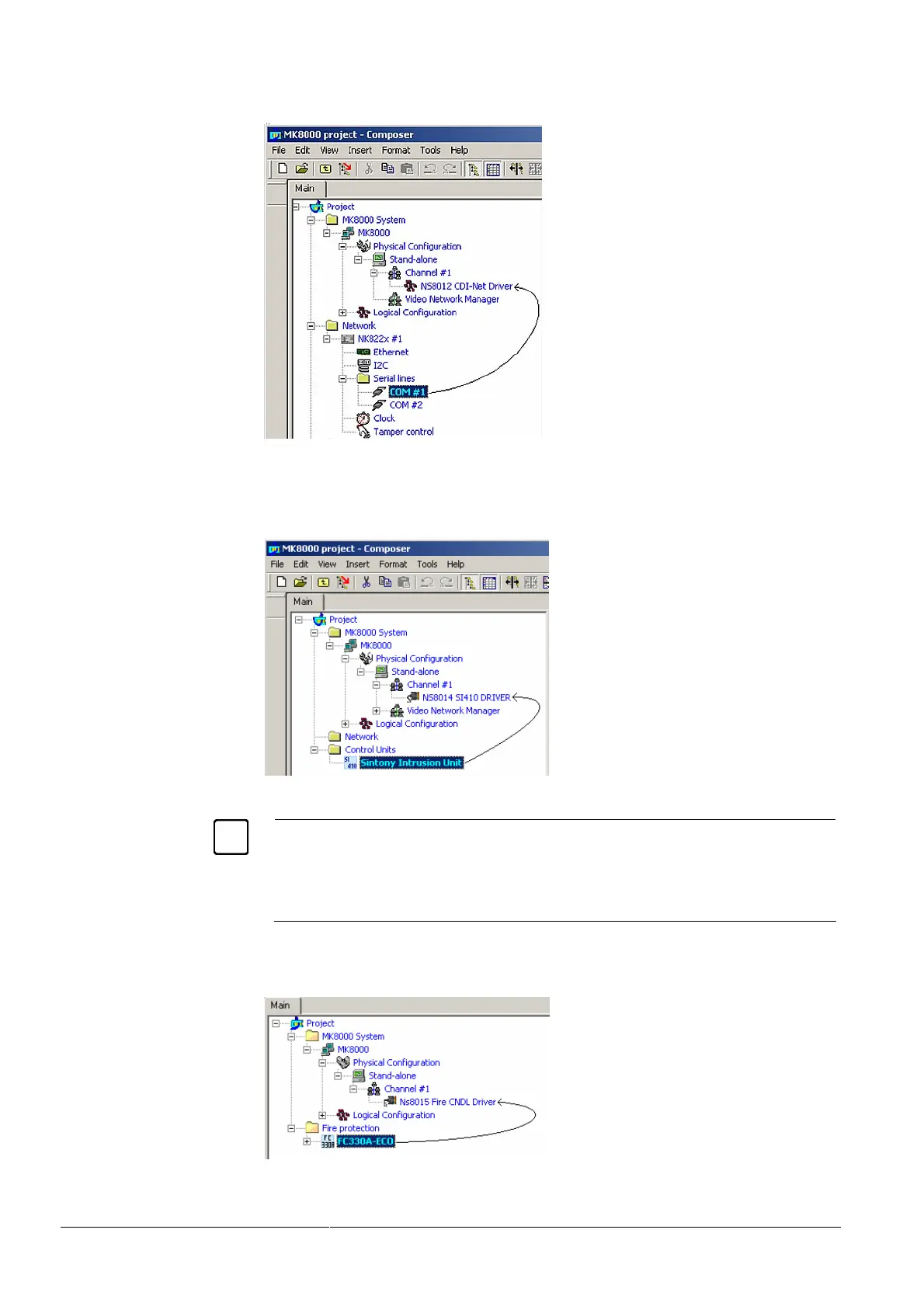
– Drag one of the NK822x serial lines to the NS8210 NK8000 Driver.
Fig 34 Connecting NK822x serial line to the NS8012 CDI-Net Driver
SI410 connection
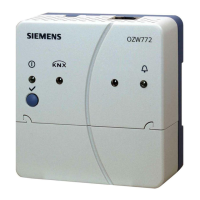
– Drag the SI410 unit to the SI410 Driver.
Fig 35 Connecting SI410 Sintony to the corresponding driver
Note: SI410 network connections, supported via protocol tunnelling over IP LAN, will
also be configured with the same type of link. In the COM port setting (see 5.6 be-
low), you will then select the virtual port emulated in software.
See the DMS8000 Network, Fire, and Intrusion Connectivity Configuration Guide
(document no. A6V10062425) for more information on SI410 connectivity options.
FC330A/CC1115 connection
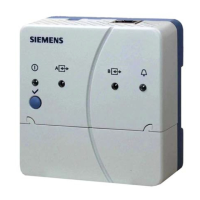
– Drag the FC330A unit to the NS8015 Fire CNDL Driver.
Fig 36 Connecting FC330A unit to the corresponding CNDL driver



 To Next Page