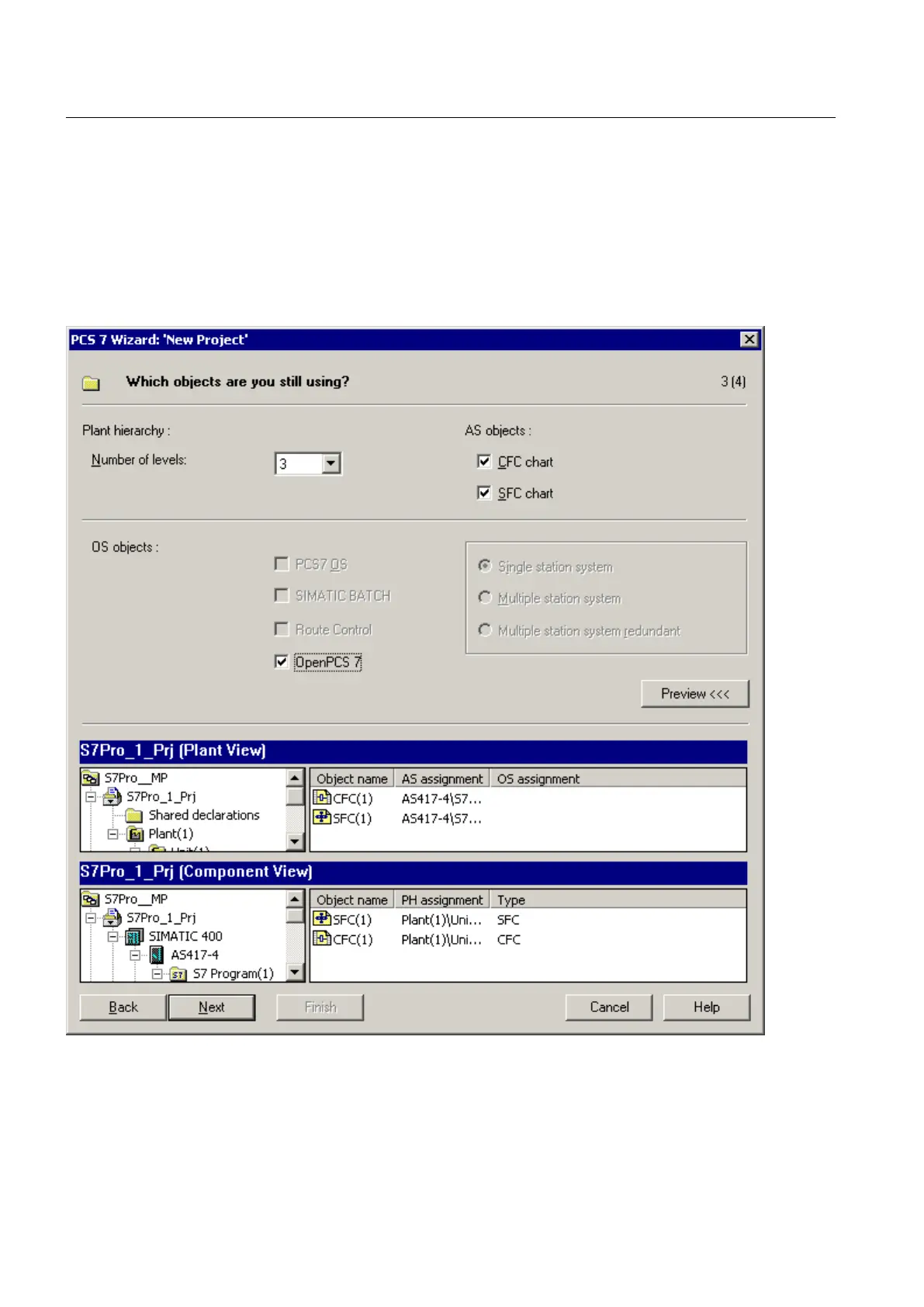
3. Click the "Next" button in the "Introduction" dialog.
4. Select the required CPU in the "Which CPU are you using in your project?" dialog and then
click the "Next" button.
5. Click the " Preview >>>" button.
6. Select the "OpenPCS 7" option in the "Which objects are you still using?" dialog.
7. Click "Continue".
8. Enter a directory name in the "Directory name" box in the "Where do you want to store the
multiproject?" dialog.
PCS 7 Engineering
4.5 Configuration support with the PCS 7 project wizard
OpenPCS 7
28 Function Manual, 05/2012, A5E02780178-02







 To Next Page