Securely Connecting RTU3041C to TeleControl Server Basic
Entry ID: 109739240, V3.0, 07/2021
© Siemens AG
2021 All rights reserved
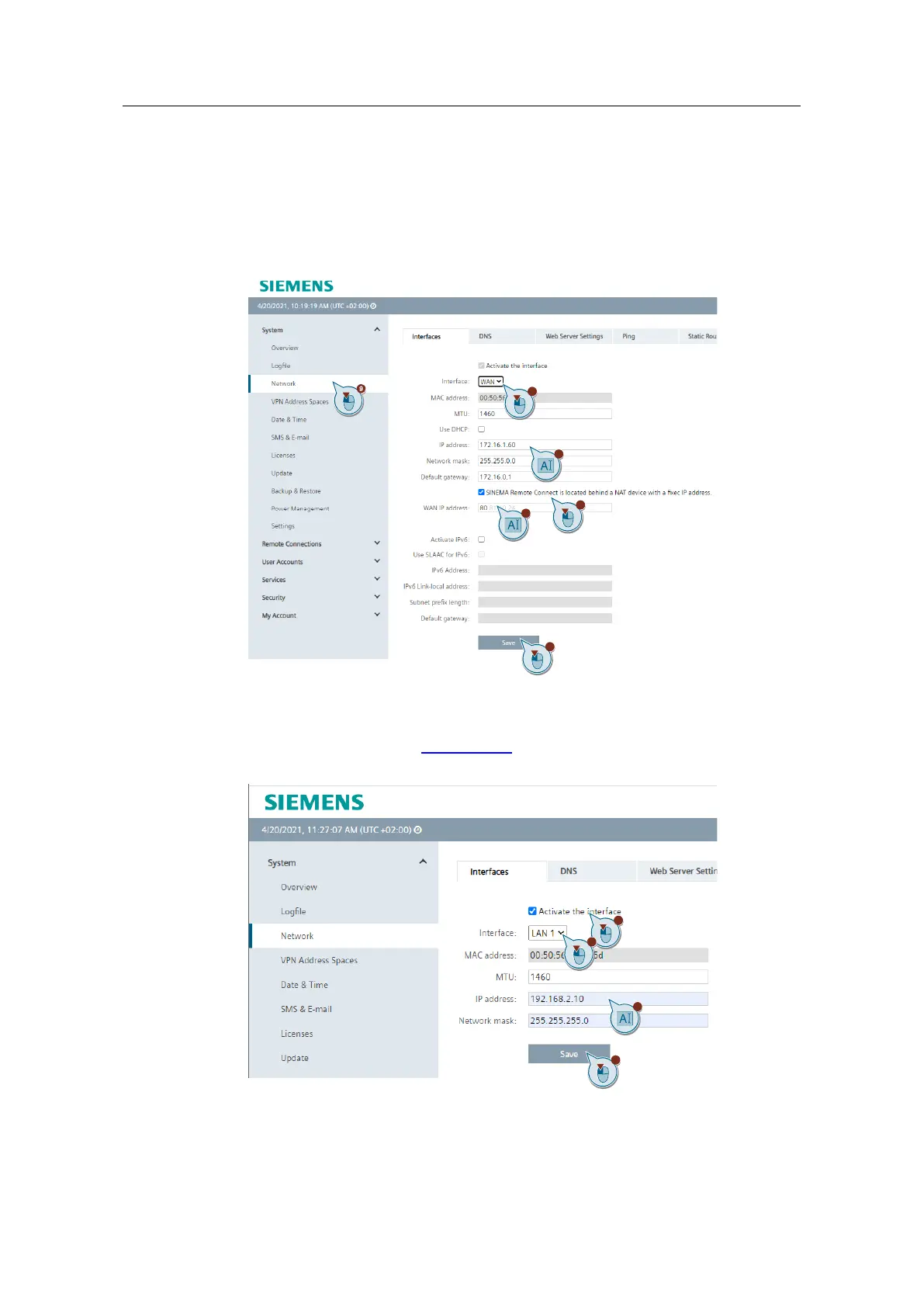
9. Navigate to the menu item "System > Network".
10. Select the WAN port from the drop-down list.
11. Set the IP address and subnet mask.
12. Enable "SINEMA Remote Connect is located behind a NAT device".
13. Enter the WAN IP address of your router.
14. Save the settings with "Save".
15. Enable the interface (via "Activate the interface").
16. Select the LAN port from the drop-down list.
17. Set the local IP address (192.168.2.10) and subnet mask.
18. Save the settings with "Save".


 To Next Page