Securely Connecting RTU3041C to TeleControl Server Basic
Entry ID: 109739240, V3.0, 07/2021
Configuring the connection to the TeleControl Server
A connection to the TeleControl Server must be established so that the
RTU3041C can reach the TeleControl Server.
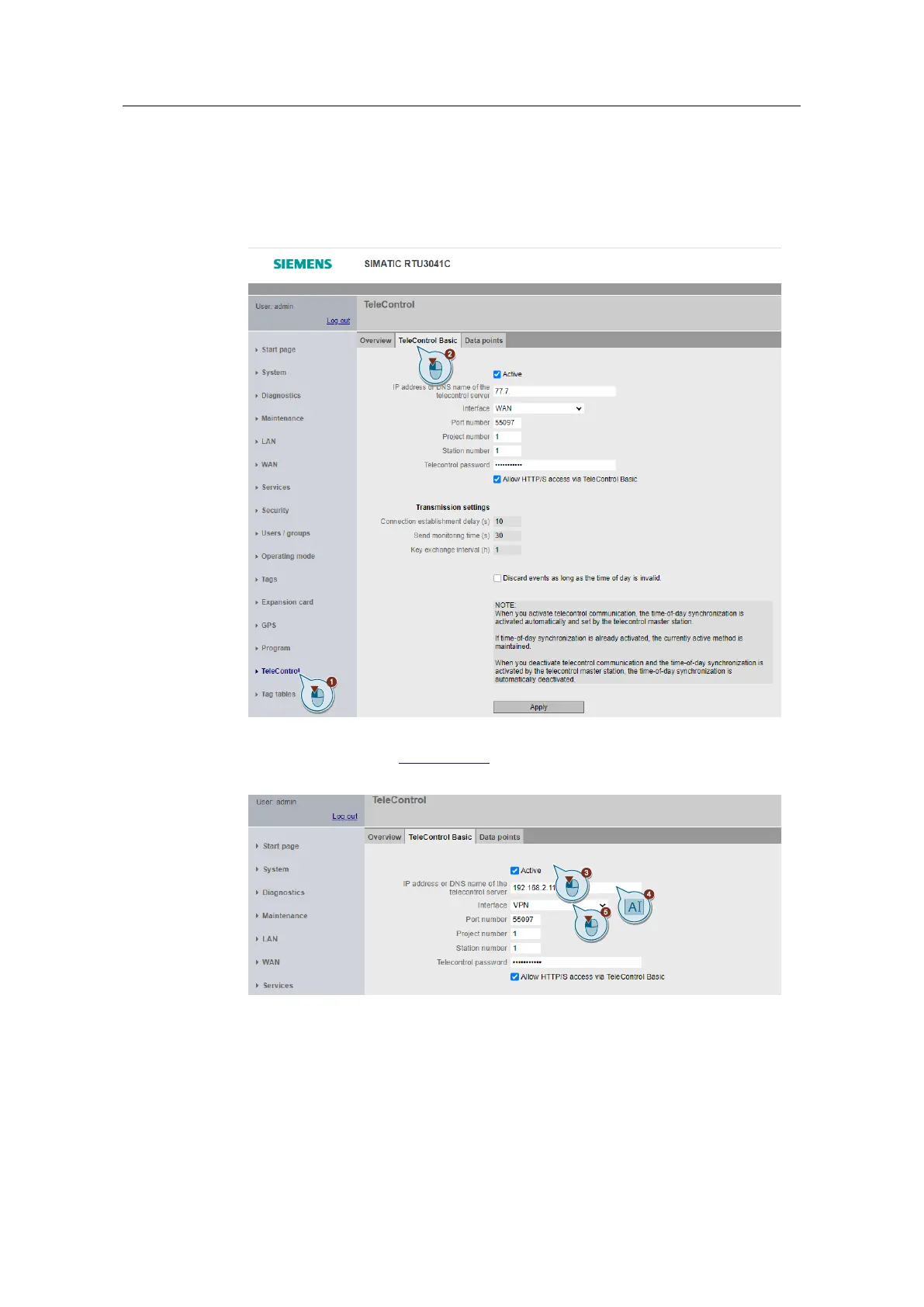
1. Navigate to the "TeleControl" menu.
2. Open the "TeleControl Basic" tab.
3. Enable the "Active" checkbox.
4. Enter the IP address (192.168.2.11) of the TeleControl server.
5. Select "VPN" as the interface.


 To Next Page