Securely Connecting RTU3041C to TeleControl Server Basic
Entry ID: 109739240, V3.0, 07/2021
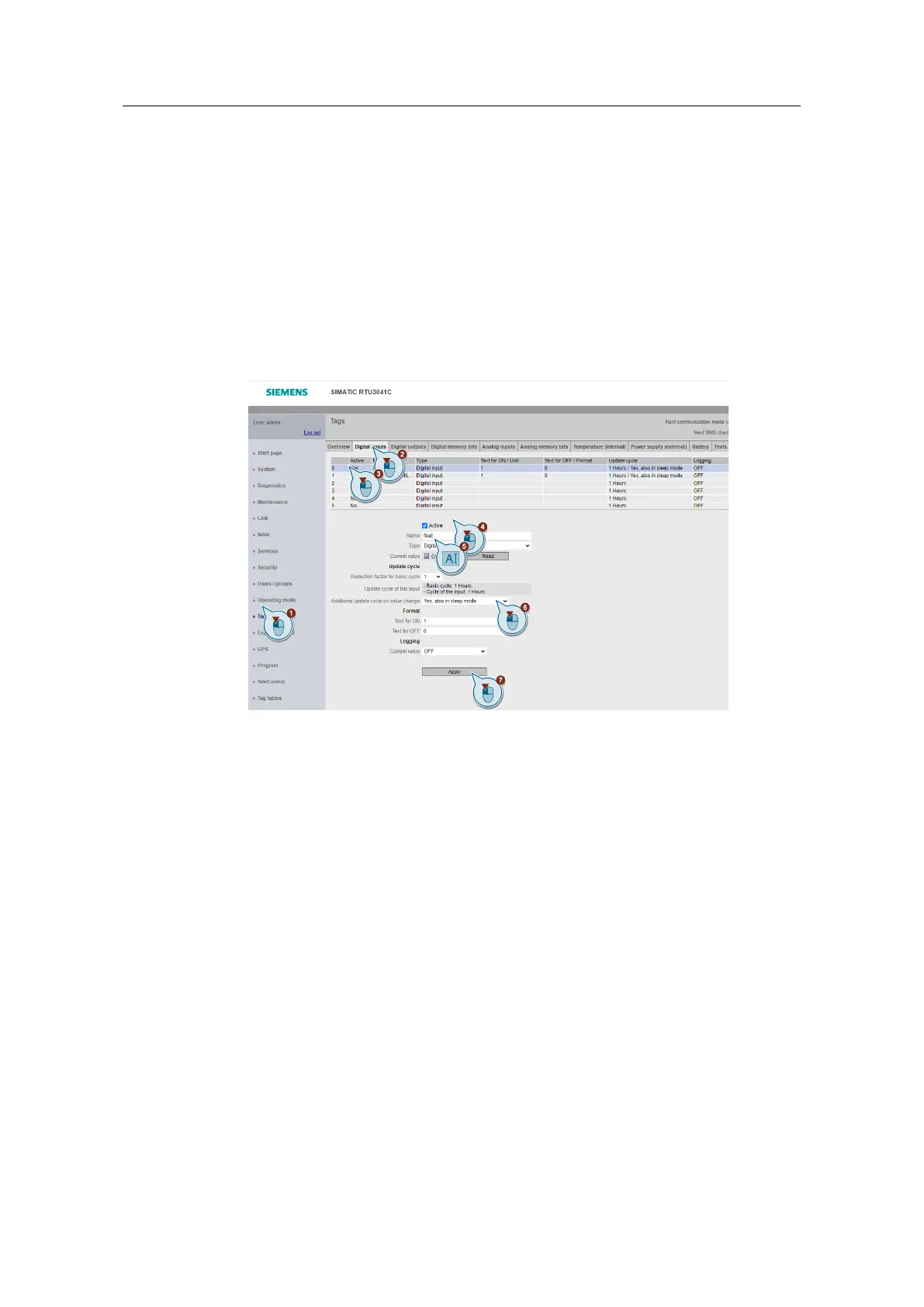
Creating tags for programming in the RTU3041C
Before you start programming in the RTU, configure the inputs, outputs, and
memory bits.
1. Navigate to the "Tags" menu.
2. Open the "Digital inputs" tab.
3. Click on input 0.
4. Enable the "Active" checkbox.
5. Assign the name "float".
6. Select that an additional update cycle is also performed in sleep mode when
the value changes.
7. Then click "Apply".


 To Next Page