Securely Connecting RTU3041C to TeleControl Server Basic
Entry ID: 109739240, V3.0, 07/2021
Creating a program in the SIMATIC RTU3041C
In order for the RTU3041C to respond appropriately to events, you must create a
program. Programming is comparable to "FBD" in the TIA Portal.
Program comparison of the current level with a critical value
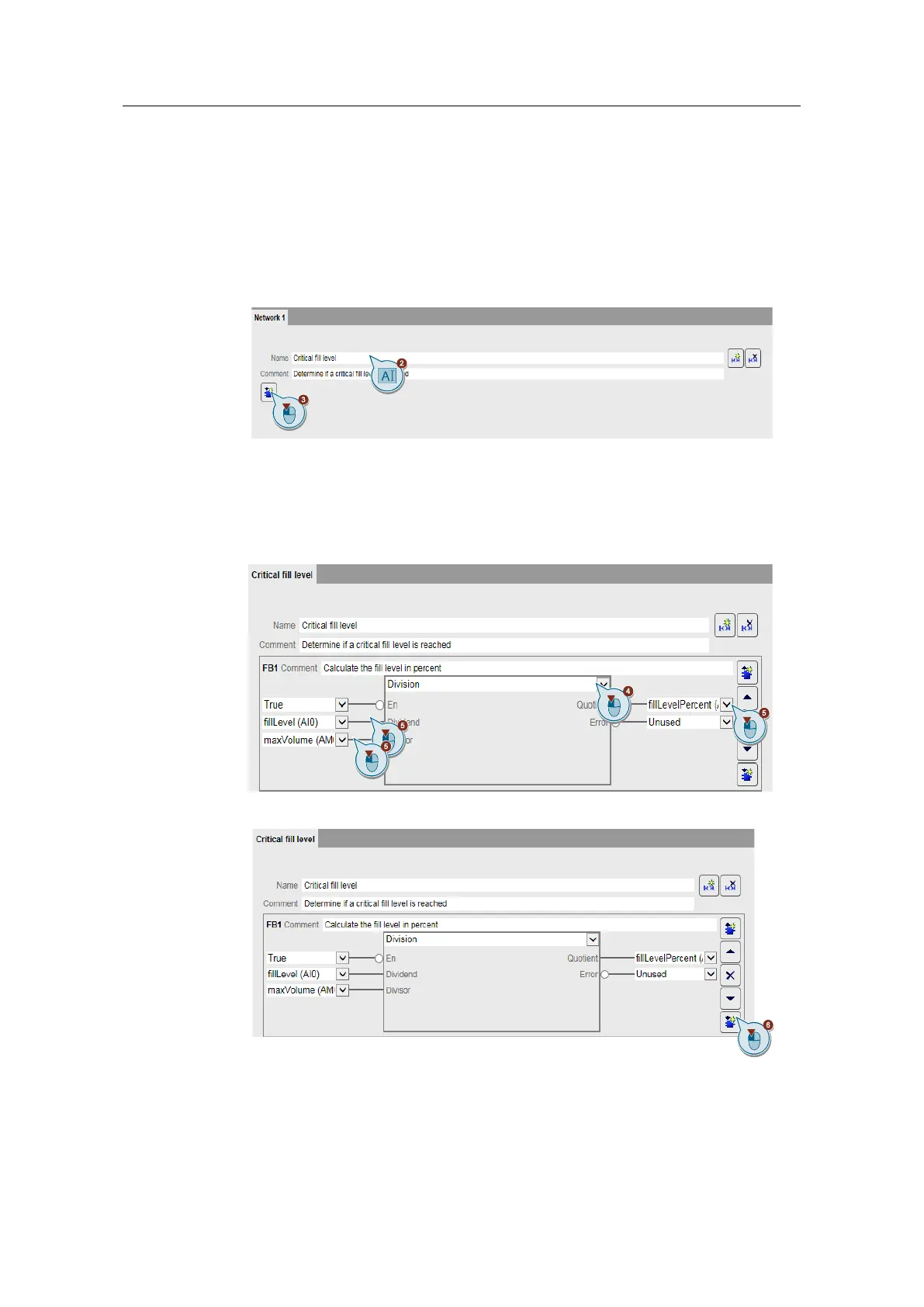
1. Navigate to the "Program" menu.
2. Assign the name "Critical fill level" to the network.
3. Add a new function block (FB1).
4. Select "Division" as the function.
5. Interconnect the parameters as follows:
– Dividend: fillLevel (AI0)
– Divisor: maxVolume (AM0)
– Quotient: fillLevelPercent (AM1)
6. Add a new function block (FB2) below it.


 To Next Page