EasyManua.ls Logo

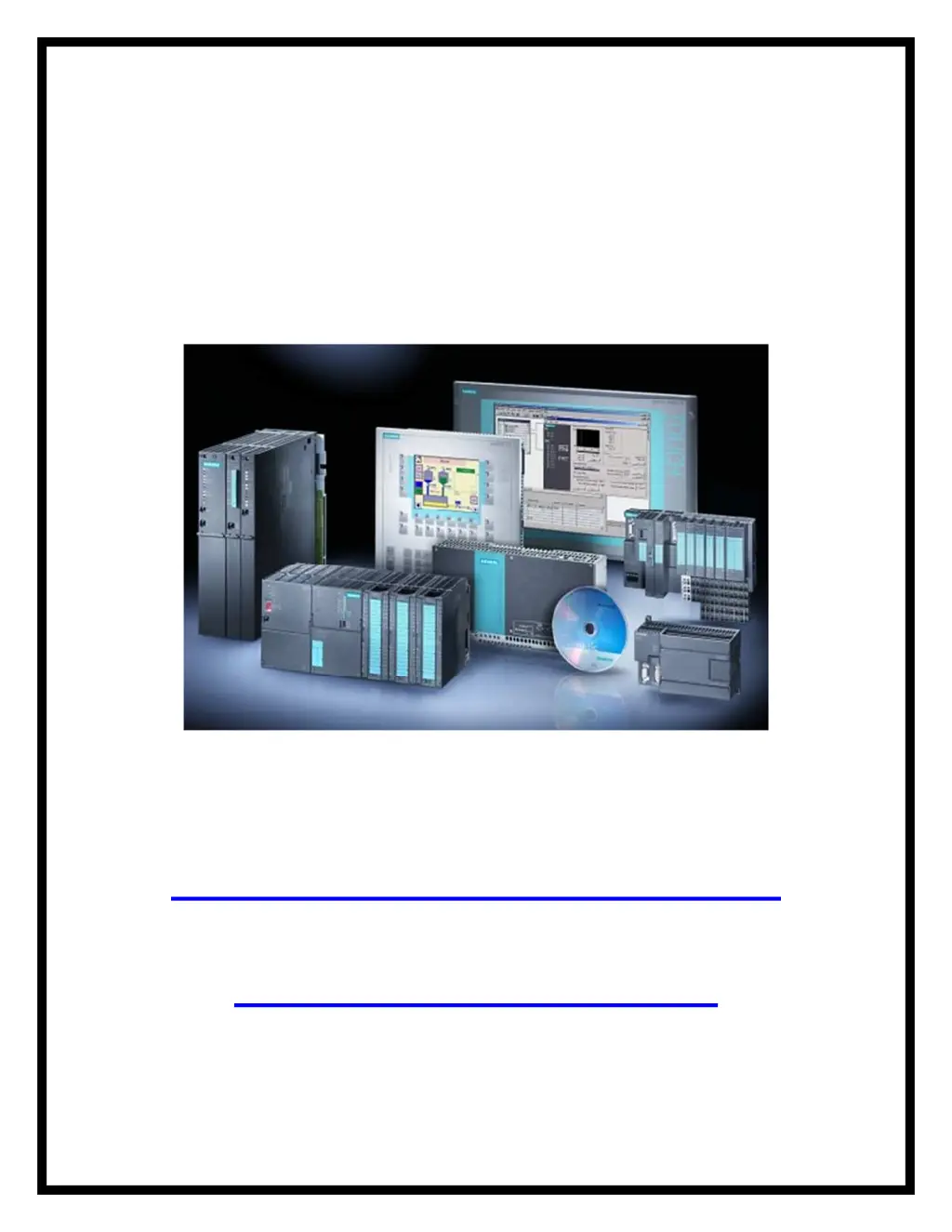
Siemens Simatic S7 Series - User Manual

Siemens Simatic S7 Series
75 pages
Print Icon
To Next Page IconTo Next Page
Loading...
Siemens
Simatic S7
Manuals and Guides
Presented By: Siemens Supply
For Product Needs Please Visit:
http://www.siemenssupply.com/
OR email:
sales@siemenssupply.com
OR call:
1-800-793-0630
Siemens S7 Manuals Siemens Supply www.siemenssupply.com

Other manuals for Siemens Simatic S7 Series

Questions and Answers

  • A
    Angela MunozJul 28, 2025
    Why is the ERROR light on my Siemens Simatic S7 CPU red?
    • D
      Daniel GordonJul 28, 2025
      If the ERROR light on your Siemens Controller CPU is red, it could be due to electrical noise. Ensure the control panel has a good ground connection and that high voltage wiring isn't run alongside low voltage wiring. Also, connect the M terminal on the 24 V DC Sensor Power Supply to ground. Alternatively, the issue might stem from component damage, in which case you should send the hardware in for repair or replacement.
  • T
    Troy ChungAug 3, 2025
    How to troubleshoot Siemens Simatic S7 outputs that stop working?
    • S
      Shirley DavidsonAug 3, 2025
      If the outputs on your Siemens Controller stop working, there are several potential causes. The device being controlled may have caused an electrical surge that damaged the output, so when connecting to an inductive load (such as a motor or relay), use a proper suppression circuit. Also, check the wiring to make sure it is correct and not loose. The issue may be due to an excessive load, so check the load against contact ratings. Finally, the output point may be forced, so check the CPU for forced I/O.
  • E
    Elaine PerezAug 9, 2025
    What to do if Siemens Controller has intermittent operation with high energy devices?
    • G
      Gregory RiosAug 9, 2025
      If you're experiencing intermittent operation with your Siemens Controller when using high energy devices, the issue could be due to improper grounding or the routing of wiring within the control cabinet. Ensure the control panel is connected to a good ground, and high voltage wiring is not run in parallel with low voltage wiring. Connect the M terminal on the 24 V DC Sensor Power Supply to ground. Another potential cause is that the time delay on input filters is too short. Try increasing the input filter delay in the system data block.
  • A
    aaron28Aug 15, 2025
    What to do if none of the CPU LEDs turn on a Siemens Controller?
    • A
      Ann MarshAug 15, 2025
      If none of the CPU LEDs on your Siemens Controller turn on, the possible cause is a blown fuse. In this case, use a line analyzer and monitor the input power to check the magnitude and duration of the over-voltage spikes, then add the proper type surge arrestor device to your power wiring based on this information. Another possible cause is reversed 24 V power wires. Finally, the problem could be incorrect voltage.
  • L
    Louis WebsterAug 20, 2025
    Why are serial communications damaged when connecting a Siemens Simatic S7 Controller to an external device?
    • C
      Crystal OchoaAug 20, 2025
      If the serial communications (RS-485 or RS-232) are damaged when connecting your Siemens Controller to an external device, it's possible that the communications cable is providing a path for unwanted currents because the devices don't share the same network circuit common reference. Purchase network isolators or isolated RS485-to-RS485 repeaters when you connect devices that do not have a common electrical reference.

Summary

PLCs

S7-200 Models

Specialized Expansion Modules

Expansion Modules for Temperature Measurement

Programming a PLC

STEP 7-Micro;WIN

Introduces the STEP 7-Micro/WIN software for S7-200 PLC programming.

Testing a Program

Analog Inputs and Outputs

Timers

S7-200 SIMATIC Timers

Covers the types of timers available in the S7-200 SIMATIC instruction set.

Counters

S7-200 SIMATIC Counters

Introduces the SIMATIC counter types available in the S7-200 instruction set.

High-Speed Instructions

Siemens Simatic S7 Series Specifications

General IconGeneral
CPUVaries by model (e.g., S7-300, S7-400, S7-1200, S7-1500)
Communication InterfacesPROFIBUS, PROFINET, Ethernet, MPI
ProgrammingTIA Portal, STEP 7
Programming LanguagesLAD, FBD, STL, SCL, GRAPH
I/O ModulesDigital, Analog, Specialty modules available
Operating Temperature0°C to 60°C (standard models)
MountingDIN rail mounting
Operating Voltage24V DC or 120/230V AC (varies by model)
Protection ClassIP20 (standard models)
MemoryVaries depending on the S7 model. Includes work memory (RAM) for program execution, load memory (EEPROM or Flash) for program storage, and system memory for operating system functions. Memory sizes range from kilobytes to megabytes.

Related product manuals