Parameterization 10.99
6SE7087-6KP50 Siemens AG
8-6 Operating Instructions SIMOVERT MASTERDRIVES
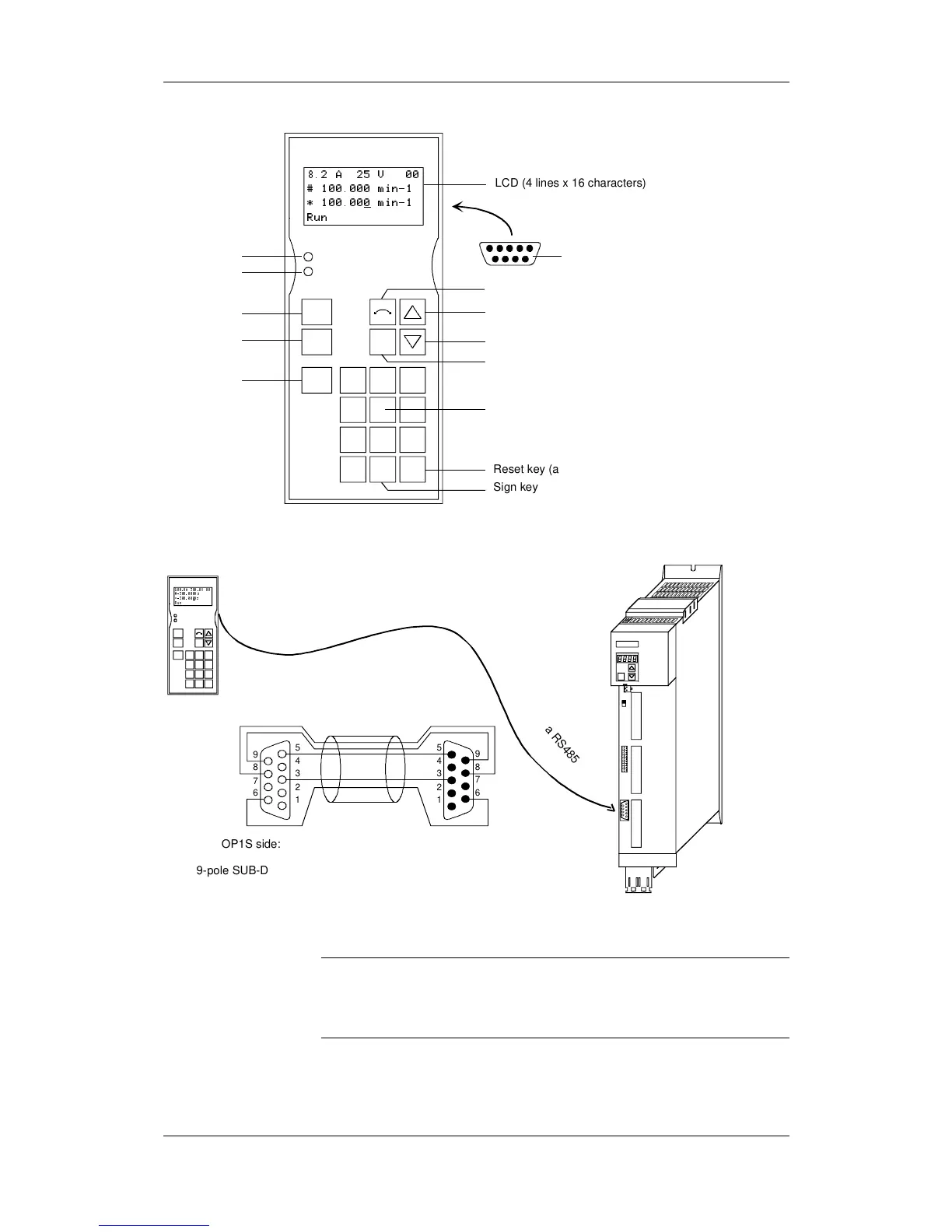
Jog key
OFF key
ON key
Key for toggling between control levels
Lower key
Raise key
Reversing key
8.2 A 25 V 00
# 100.000 min-1
* 100.000
min-1
Run
LCD (4 lines x 16 characters)
Sign key
Reset key (acknowledge)
0 to 9: number keys
Jog789
P
Reset
+/-
0
456
123
O
I
Fault
Run
9-pole SUB-D connector
on rear of unit
LED green
LED red
Fig. 8-2 View of the OP1S
SIEMENS
A
S1
BX1 01
CX103
P
USS-Bus
100.0A 380 .0V 00
#-300. 000H z
*-300. 000
Hz
Run
Jog789
P
Reset
+/-0
456
123
O
I
Fault
Run
OP1S
U
SS
v
i
a R
S
4
8
5
5
4
3
2
1
9
8
7
6
5
4
3
2
1
9
8
7
6
OP1S side:
9-pole SUB-D socket
Unit side:
9-pole SUB-D connector
Connecting cable
Fig. 8-3 Example: The OP1S in a point-to-point link with the Compact PLUS unit
In the as-delivered state or after a reset of the parameters to the factory
setting, a point-to-point link can be adopted with the OP1S without any
further preparatory measures and parameterization can be
commenced.
NOTE



 To Next Page