Operation
9.2 Parameterizing using the BOP20 (Basic Operator Panel 20)
SINAMICS DCM DC Converter
Operating Instructions, 12/2018, A5E34763375A
373
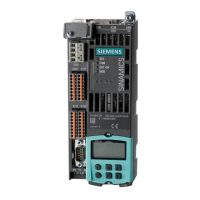
Displays and using the BOP20
Characteristics
● Status display
● Changing the active drive object
● Displaying/changing parameters
● Displaying/acknowledging faults and alarms
● Controlling the drive using the BOP20
The operating display for each drive object can be set using p0005 and p0006. Using the
operating display, you can change into the parameter display or to another drive object. The
following functions are possible:
● Changing the active drive object
– Press the "FN" and "Arrow up" keys -> the drive object number at the top left flashes
– Select the required drive object using the arrow keys
– Confirm with the "P" key
● Parameter display
– Press the "P" key
– The required parameter can be selected using the arrow keys
– Press the "FN" key -> "r00000" is displayed
– Press the "P" key -> returns to the status display





 To Next Page