Maintenance
11.1 Upgrading firmware releases
SINAMICS DCM DC Converter
Operating Instructions, 12/2018, A5E34763375A
691
● Convert the existing DCC Charts
– Open the DCC editor by double clicking on the DCC chart
– In the DCC editor, in the menu, selection "Options" → "Block types…"
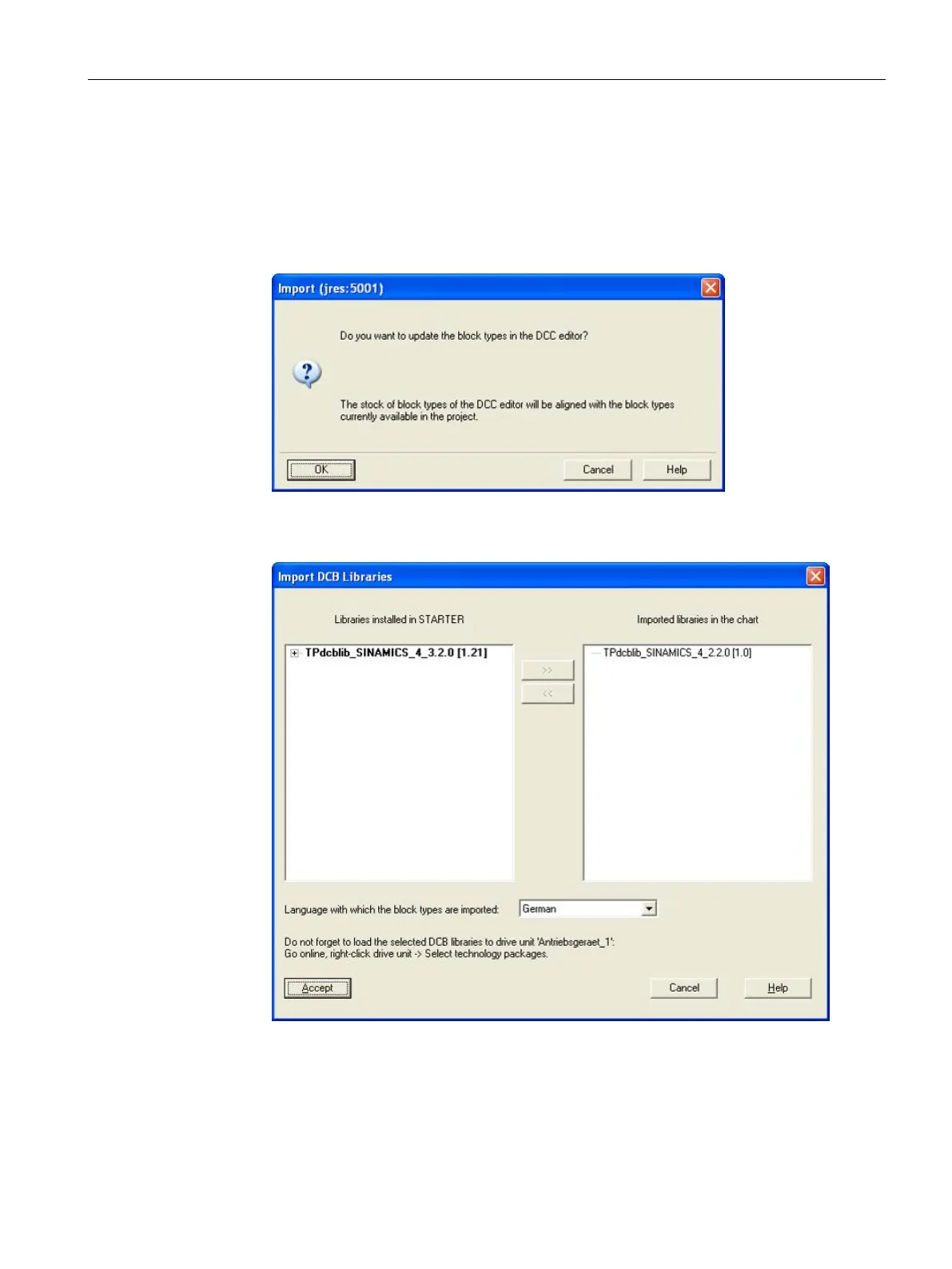
– Answer the question "Do you wish to update the block types in the DCC editor"
with "OK".
Figure 11-2 Importing the DCC library (1)
– Shift the DCC library, which appears in the left-hand window, to the right with ">>"
Figure 11-3 Importing the DCC library (2)
– Select "Accept"
– The chart is compiled into the new version
– Perform these steps for all DCC charts which are in the drive.





 To Next Page