Basic Operator Panel 20 (BOP20)
Operating Instructions, 11/2017, A5E00809375A
15
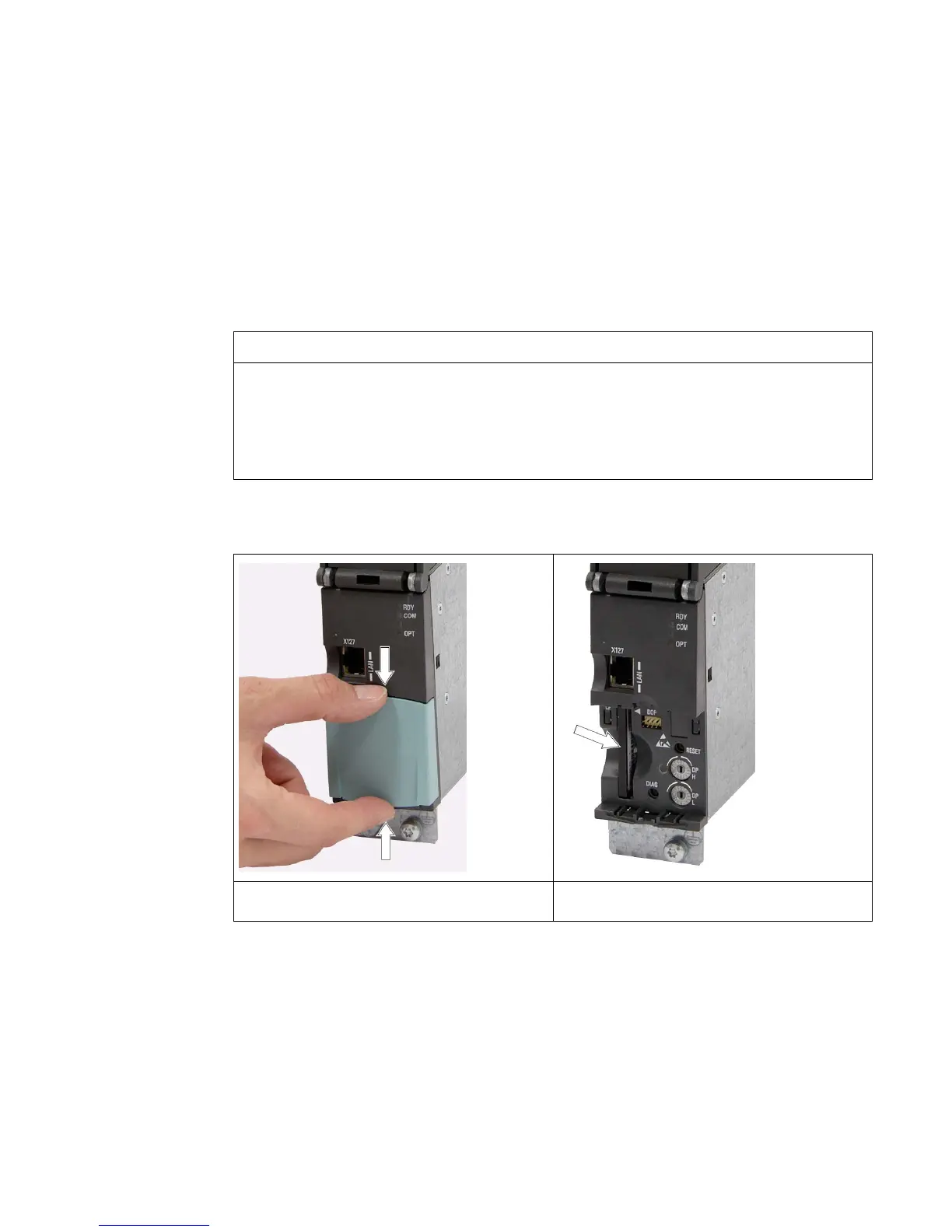
The following photos and captions explain how to assemble the Basic Operator Panel 20
(BOP20) on the Control Unit.
Damage to the interface for the BOP20 at the Control Unit through tilting
If the BOP20 is skewed when inserting or withdrawing it, this can damage the interface for
the BOP20.
• Make sure that you insert and withdraw the BOP20 straight into/out of the Control Unit
and that it is not tilted up or down.
Table 3- 1 Mounting a Basic Operator Panel BOP20 using the CU320-2 DP as an example
1. Press the latching cams together and remove
2. Insert the memory card in the slot provided.






 To Next Page