Setting parameters with the BOP20
4.4 Controlling the drive using the BOP20
Basic Operator Panel 20 (BOP20)
28 Operating Instructions, 11/2017, A5E00809375A
Controlling the drive using the BOP20
Description
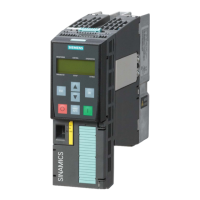
When the drive is commissioned, it can be controlled via the BOP20. A control word is
available on the Control Unit drive object (r0019) for this purpose, which can be
interconnected with the appropriate binector inputs of the drive.
The interconnections do not function if a standard PROFIdrive telegram was selected as its
interconnection cannot be disconnected.
Table 4- 3 BOP20 control word
Example, interconnec-
tion parameters
01 No coast down/coast down (OFF2) No coast down Coast down (OFF2) p0844
No fast stop/fast stop (OFF3)
Acknowledge fault (0 -> 1)
Motorized potentiometer, raise
Motorized potentiometer, lower
Note
Simple commissioning
For simple commission
ing, only bit 0 should be interconnected. When bits 0 ... 2 are
interconnected, the system is switched off according to the following priority: OFF2, OFF3,
OFF1.
Important functions via BOP20
Description
The BOP20 can be used to execute the following functions (via parameters) that help you
handle your projects more efficiently:
● Restore the factory settings
● Copy from RAM to ROM
● Identification via LED
● Acknowledge error






 To Next Page