B516
B516 Page 6 840D/828D SINUMERIK Operate
Notes
Section 3
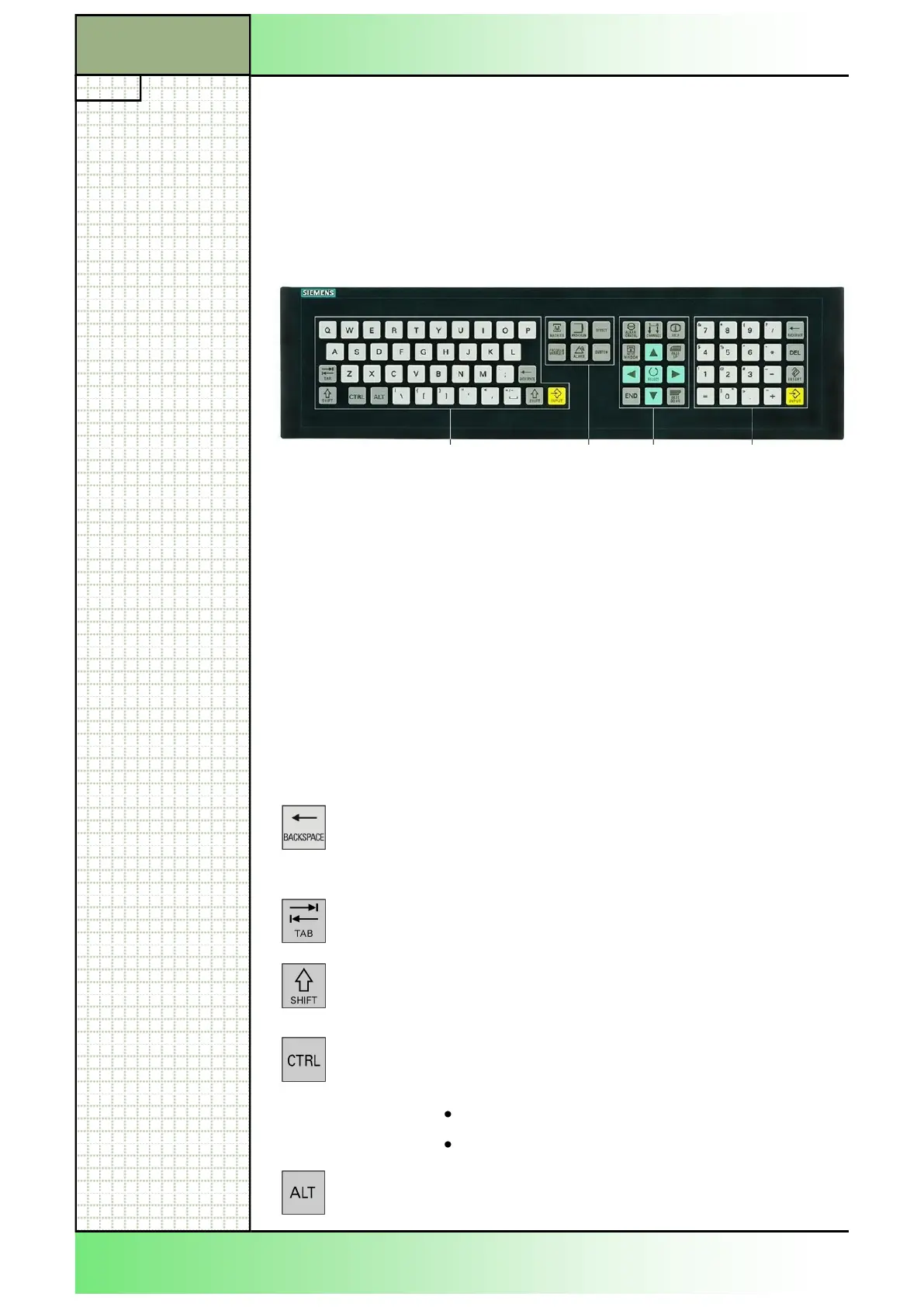
CNC-full keyboard
A full CNC-keyboard for operation and programming can be integrated on
an operating panel of the machine, depending on the type of Operator
panel used.
The keys that are described here can also be located directly on the opera-
tor panel. The layout of the operating panel is described in the documenta-
tion of the machine manufacturer.
Below follows a description of the basic keys of the CNC-full keyboard.
CNC-full keyboard “KB 483”:
Alpha-Block Hotkey-Block Cursor-Block Number-Block
Keys in the alpha-block
BACKSPACE
Clears a value in the input field.
In the edit mode, the character in front of the cursor
will be cleared.
TAB
Indent the cursor by several characters.
SHIFT
If the SHIFT-key is held pressed, the upper charac-
ter on keys with double usage will be entered.
CTRL
With the following key combinations navigation in the
work plan and the G-Code-Editor is carried out:
CTRL + NEXT WINDOW: Jump to the beginning.
CTRL + END: Jump to the end.
ALT
ALT-key
Alpha-block: The alpha-block features the letters A, ..., Z, the
space key and the special character for the input of
text.
Hotkey-block: The hotkey-block serves the direct selection of op-
eration sectors.
Cursor-block: The cursor-block is used for navigation around the
screen display.
Number-Block: The Number-Block features the numbers 0 ... 9, the
decimal point and special characters for the input of
numerical characters and operators.
















 To Next Page