B520
B520 Page 28 840D/828D SINUMERIK Operate
Notes
Handwheel
Section 8
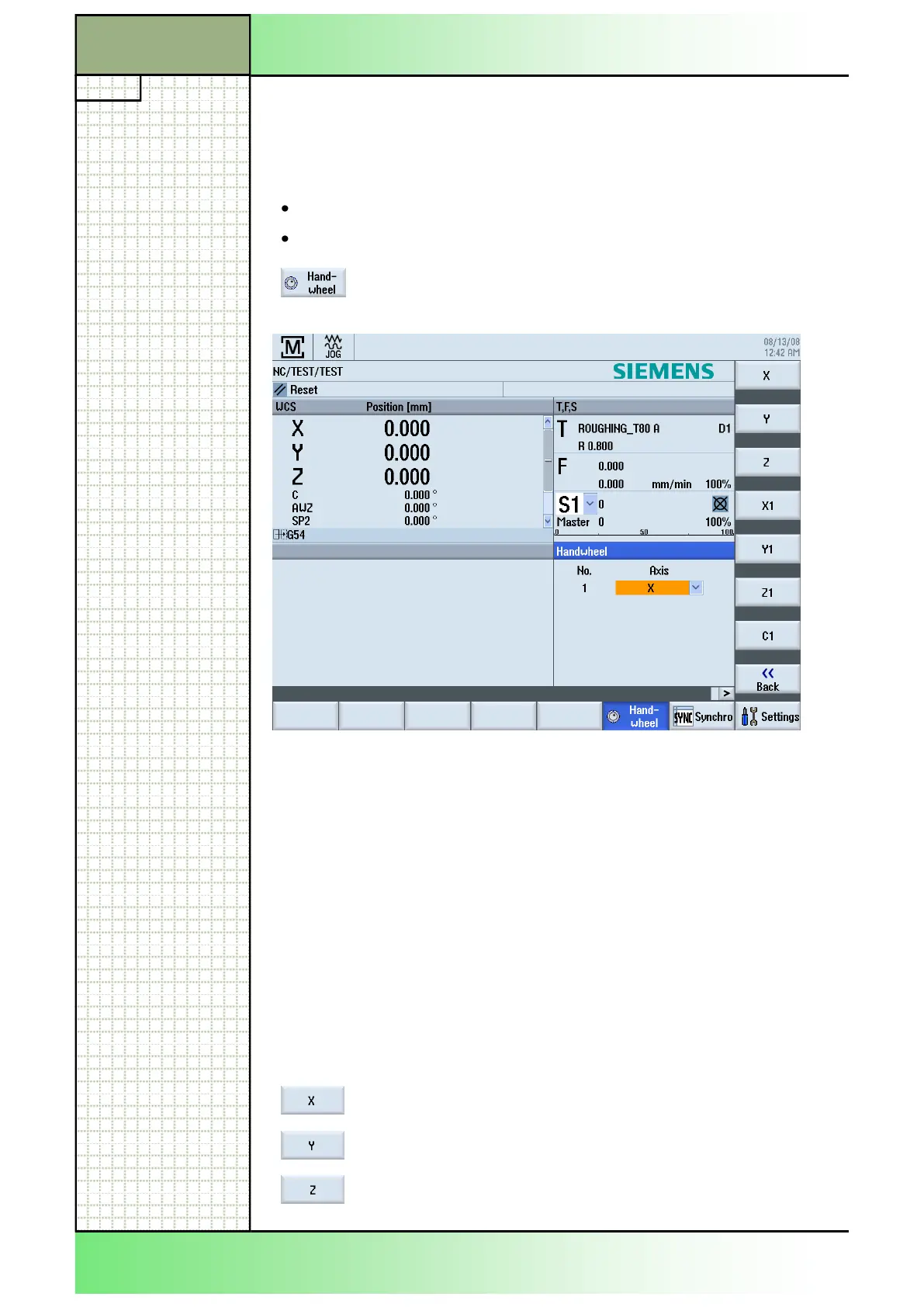
An input field for the assignment of the axes is offered for every hand-
wheel on the machine. The axis-assignment can be made like described
in the module B518 - "Basic operations". Besides there is the possibility to
assign an axis directly to a handwheel using the corresponding softkey on
the VSK.
8.2 Vertical softkey bar (VSK)
The number of softkeys for the axis assignment is limited. For the assign-
ment of all other axes refer to the module B518 - "Basic operations", Sec-
tion 3.2 "Parameter selection". Generally you can switch through all avail-
able axes by repeatedly pressing the blue "SELECT"-key on the key-
board.
Display area Description
Geometry axes
By pressing the VSK 1 "X" the X-axis is assigned to
the selected handwheel.
By pressing the VSK 2 "Y" the Y-axis is assigned to
the selected handwheel.
By pressing the VSK 3 "Z" the Z-axis is assigned to
the selected handwheel.
8.1 Selecting the function “Handwheel”
You can traverse the axes in the machine coordinate system (MCS) or in
the workpiece coordinate system (WCS) via the handwheel.
All axes are provided in the following order for handwheel assignment:
Geometry axes (X, Y, Z)
Channel machine axes (X1, Y1, Z1, C1)
tended horizontal softkey bar the following input
mask will be shown on the screen.
















 To Next Page