B520
B520 Page 30 840D/828D SINUMERIK Operate
Notes
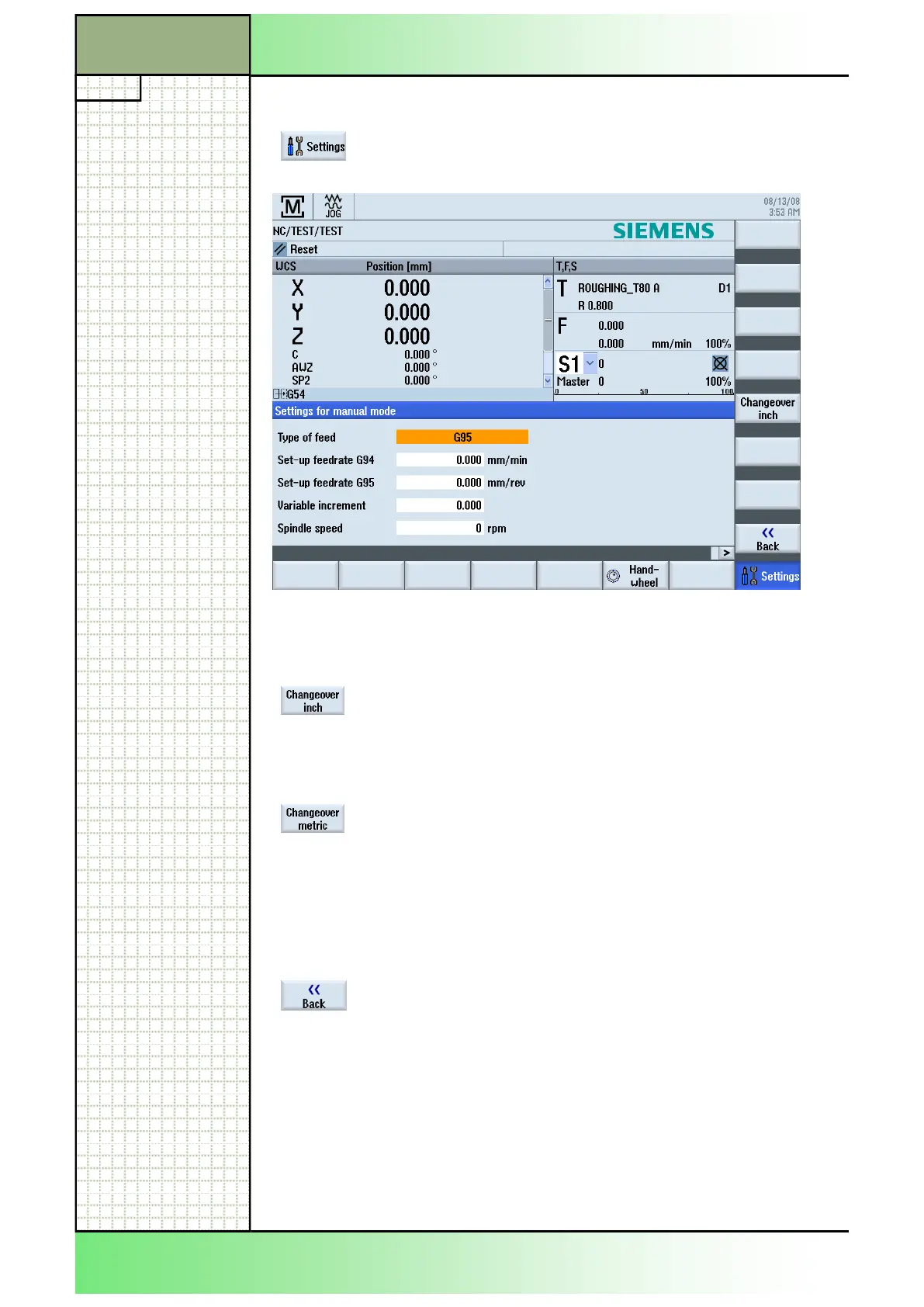
9.1 Selecting the function “Settings”
input mask will be shown on the screen.
9.2 Vertical softkey bar (VSK)
Display area Description
By pressing the VSK 5 "Changeover inch" the
measuring units are converted from the metric to
the imperial (inch) dimension system. New values
have to be entered in inches. By pressing this key
the key function switches to "Changeover metric".
By pressing the VSK 5 "Changeover metric" the
measuring units are converted from the imperial
(inch) to the metric dimension system. New values
have to be metric. By pressing this key the key
function switches to "Changeover inch".
By pressing the VSK 8 "Back" you switch back to
the main screen of the Sinumerik Operate.
Section 9
Settings
















 To Next Page