B522
B522 Page 8 840D/828D SINUMERIK Operate
Notes
Section 3
Overstore
3.1 Selecting the Function “Overstore”
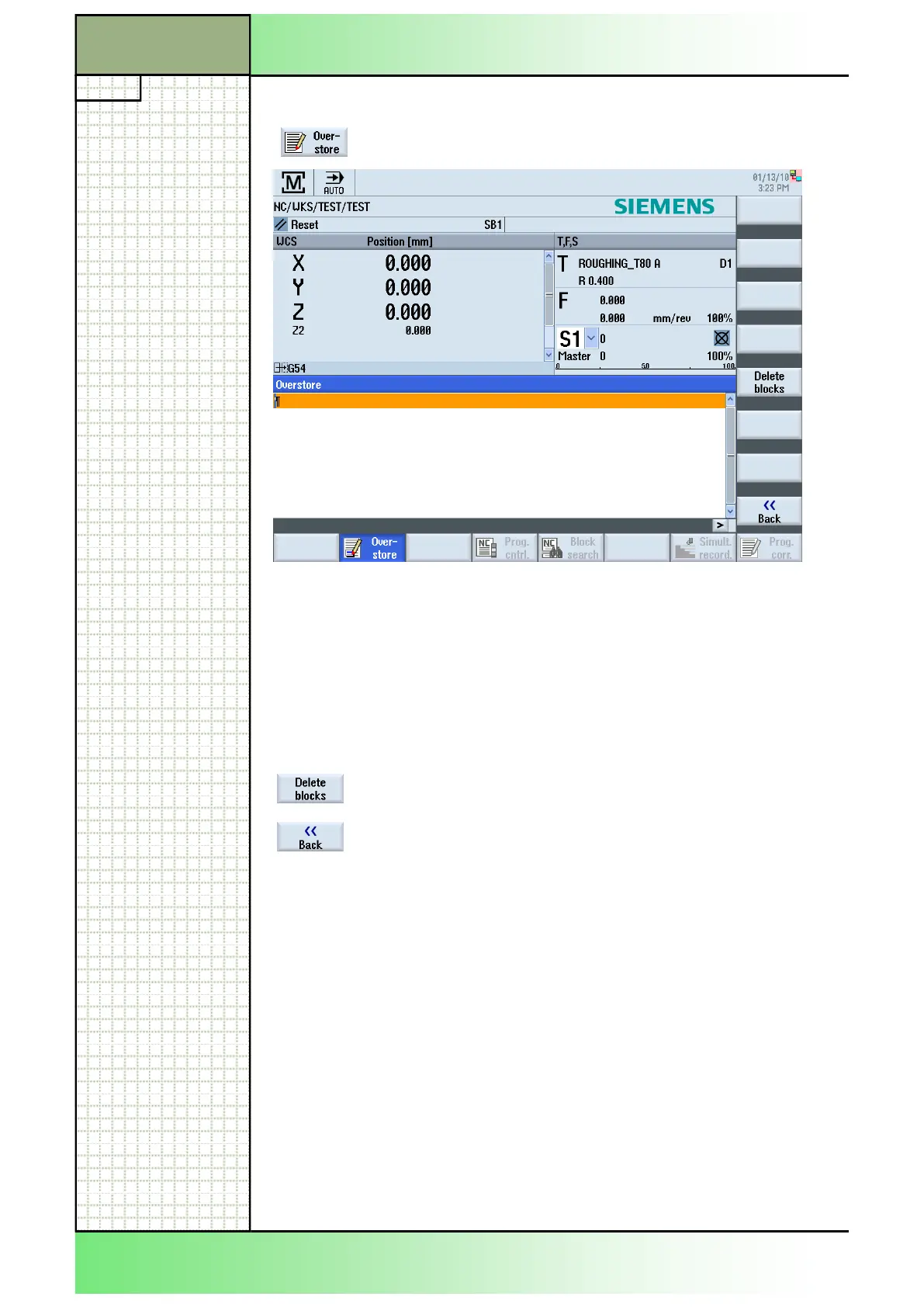
By pressing the HSK 1.2 “Overstore“ the overstore
window opens (see picture below).
3.2 Vertical softkey bar
Display area Description
By pressing the VSK 1.5 you can delete the blocks
you have entered before.
By pressing the VSK 1.8 “Back“ you switch back to
main screen of the operating area “Machine” in the
operating mode “AUTO”. Press “CYCLE START“ to
continue running the previously selected program.
The program to be corrected has to be in the STOP or RESET mode.
In the “Overstore” editor view you can overstore technological parameters
(for example, auxiliary functions, axis feed, spindle speed, programmable
instructions, etc.) for a program run in the main memory of the NCK.
The programs in the part program memory are not changed while using
the function “Overstore”.
You cannot change the operating mode while you are in overstore mode.
3.3 Overstoring
1. Open a program in the operating mode “AUTO” then
press the HSK 1.2 “Overstore”.
The “Overstore” window opens.
2. Enter the required data and NC block.
3. Press the “CYCLE START” key. The blocks you
have entered are stored. You can observe execution
in the "Overstore" window. After the entered blocks
have been executed, you can append blocks again.
4. Press the VSK 8 "Back".
The "Overstore" window closes.
5. Press the “CYCLE START” key again.
The program selected before overstoring continues
to run.
















 To Next Page