840D/828D SINUMERIK Operate
Notes
Section 3
Tool list
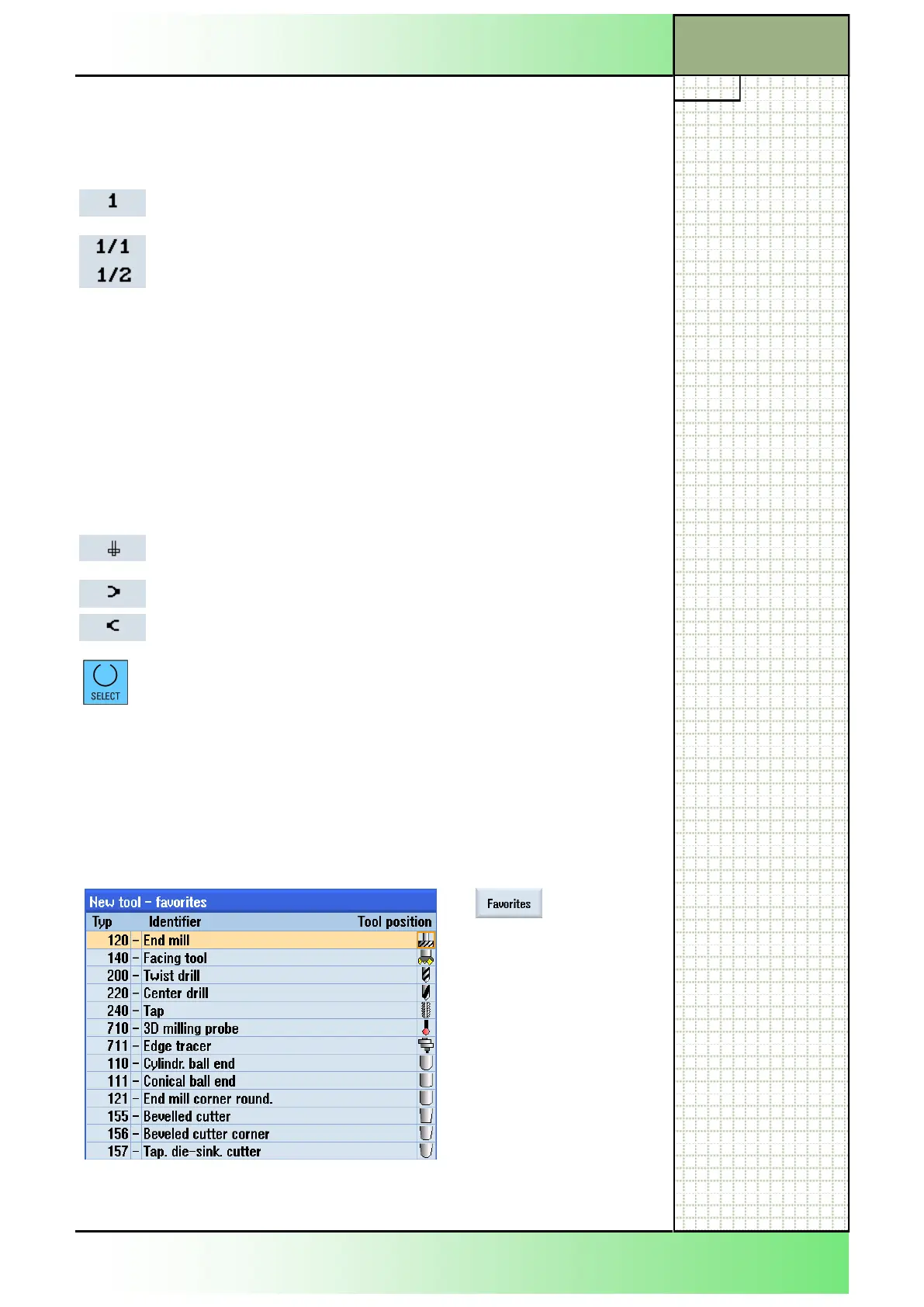
Press the VSK 1
“Favorites” to open the
“New tool - favorites”
list.
In the favourite list
the most often used
tools are saved as fa-
vorites for a fast ac-
cess. The small black
triangles on the left
side and on the right
side of the tool icon
point to additional tool
options.
3.3 Tool parameters
Column header Meaning
Loc.
Magazine/location number
Magazine location number
If more than one magazine is available, first the loca-
tion number and then the magazine number is dis-
played separated by a slash. E.g.:
Location number 1 in magazine 1
Location number 1 in magazine 2
Tools in the tool list not assigned to a magazine are
displayed without a location number at the end of the
window.
You can manage tools that are not changed auto-
matically, by hands (hand tools).
Depending on the magazine configuration the spin-
dle symbol and/or the symbols for gripper 1 and 2
are shown additionally:
Spindle location as an icon
Location for gripper 1 and 2 as icons:
(Applies only when a spindle with dual gripper is
used.)
If the orange selection cursor is placed in the type
field on a tool icon you can change depending on the
selected technology
Milling: the tool type
Turning: the tool type and the tool position
Type Tool type
Tool can be loaded to a loading point by pressing the VSK 1.2 “New tool”.
The following tool windows can be opened by pressing the corresponding
vertical softkeys.
















 To Next Page