840D/828D SINUMERIK Operate
Notes
Section 8
User variables
8.6 Local user data
LUD are only valid in the program or subroutine in which they were de-
fined. The control displays the LUD after the start of program processing.
The display is available until the end of program processing.
A local user variable is defined with the following:
Keyword DEF
Data type
Variable names
Value assignment (optional)
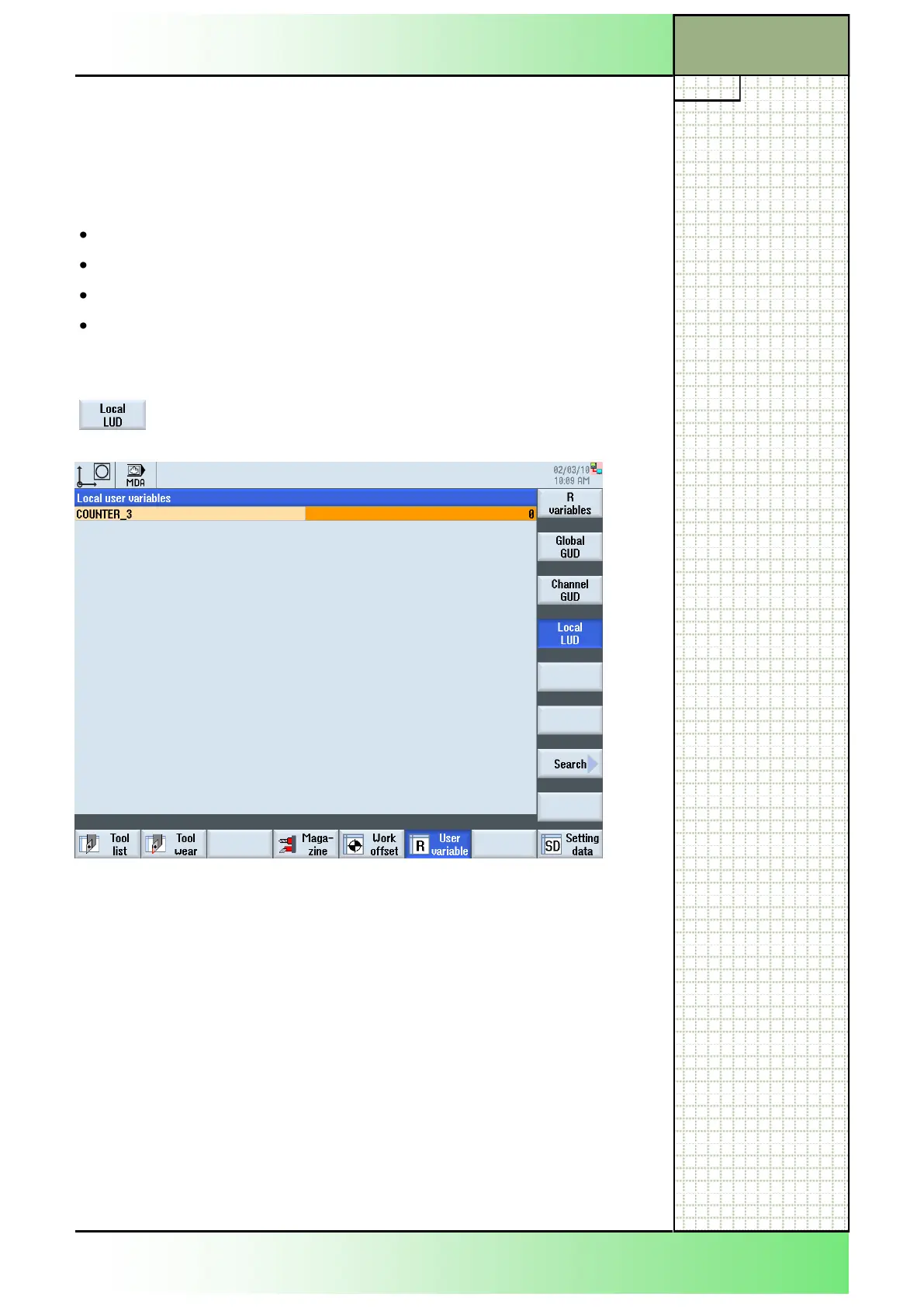
8.6.1 Selecting the function “Local LUD“
After pressing the VSK 1.4 “Local LUD“ a window
with all present local user variables opens.
8.6.2 Displaying local user data
1. Press the “MENU SELECT“-key on the operator
panel, then the HSK 2 “Parameter” to open the oper-
ating area “Parameter”. Alternatively press the
“OFFSET”-key on the keyboard.
2. Press the VSK 6 “User variable“.
3. Press the VSK 1.4 “Local LUD“.
The window with the local user data opens.
If no local user data are defined the window stays
blank.
















 To Next Page