B523
B523 Page 56 840D/828D SINUMERIK Operate
Notes
User variables
Section 8
8.7 Search
You can search for R variables and user data directly.
8.7.1 Selecting the function “Search”
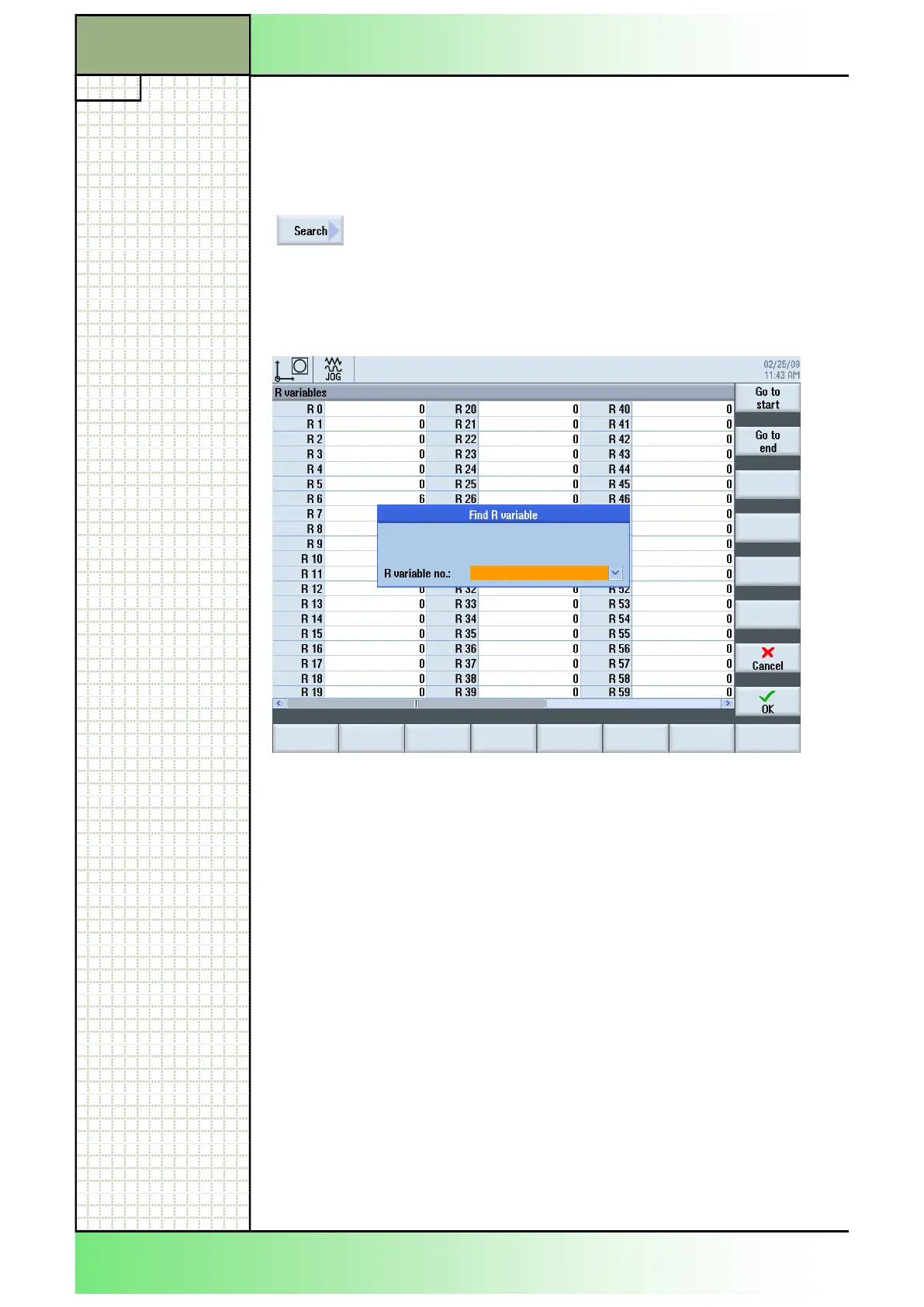
Pressing the VSK 1.7 “Search” after pressing the
VSK 1.1 “R variables” opens the “Find R variables”
window.
Pressing the VSK 1.7 “Search” after pressing the
VSK 2 “Global GUD”, the VSK 3 “Channel GUD” or
the VSK 4 “Locale GUD” opens the “Find user vari-
able” window.
8.7.2 Searching for R variables and user data.
1. Press the “MENU SELECT“-key on the operator
panel, then the HSK 2 “Parameter” to open the oper-
ating area “Parameter”. Alternatively press the
“OFFSET”-key on the keyboard.
2. Press the VSK1.1 “R variable”, the VSK 1.2 “Global
GUD”, the VSK 1.3 “Channel GUD” or the VSK 1.4
“Locale GUD” to select the list in which you would
like to search for user data.
3. Press the VSK 1.7 “Search”.
The “Find R variable” or “Find user variable” window
opens.
4. Enter the desired search term in the orange marked
input field and press the VSK 8 “OK” to accept or
press the VSK 7 “Cancel” to abort the search.
The cursor is automatically positioned on the R vari-
able or user data you are searching for, if they exist.
















 To Next Page