1
Gigaset SL400/400 A / IM-MEA EN / A31008-M2103-A601-1-UZ19 / introduction.fm / 11.05.2010
Version 4, 16.09.2005
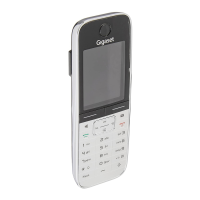
Gigaset SL400/SL400A – your high-quality accessory
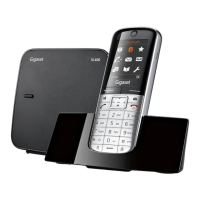
Congratulations, you are holding the slimmest and smallest Gigaset there has ever been. This
phone sets new standards with its high-quality genuine metal frame and metal keypad, 1.8´´
TFT colour display and incorporated functions. Your Gigaset can do a lot more than just make
calls:
Further information on your phone can be found at
www.gigaset.com/gigasetSL400
.
After purchasing your Gigaset phone, please register it at
www.gigaset.com/customercare
– this will ensure any questions you may have or warranty
services you request are dealt with even faster!
Have fun using your new phone!
Bluetooth® and mini USB
Connect your handset to a PC or headset using a mini USB (¢page 18) or Bluetooth®
(
¢ page 62).
Directory for up to 500 vCards – calendar and appointments
Save phone numbers and other data to the directory (¢ page 32). Enter appointments and
birthdays in the calendar and set reminders (
¢ page 55).
Large font
Increase readability of call lists and the directory (¢page 66).
Customise
Assign personal caller display pictures (¢ page 32), view your personal pictures as a screen-
saver slide show (
¢ page 65) or change the colour scheme of the display (¢ page 66).
Choose from a selection of ringtones specially composed for your SL400 or load your own
(
¢ page 68).
If you don't (always) want it to ring
Make the most of the silent alert (¢ page 68), the time control for calls (¢ page 68) or
ensure that all calls with a withheld number are not signalled (
¢ page 68).
Other practical information
Synchronise the directory of an existing Gigaset handset (¢ page 34), use the quick dial
function (
¢ page 34), adapt your Gigaset to suit your handsfree requirements (¢ page 67)
and adjust the brightness of your keypad to suit you (
¢ page 66). Skip back five seconds
when listening to answering machine messages to repeat the last section (
¢ page 49).
Environment
Gigaset Green Home — Be environmentally aware when using your phone. Details about our
ECO DECT products can be found at www.gigaset.com/customercare
.






 To Next Page