85
Customer Service & Assistance
Gigaset SL400/400 A / IM-MEA EN / A31008-M2103-A601-1-UZ19 / appendix.fm / 11.05.2010
Version 4, 16.09.2005
Procedure in the event of an error
If the update procedure fails or your phone
does not work properly following the
update, repeat the update procedure as fol-
lows:
¤ Close the "Gigaset QuickSync" program
on the PC.
¤ Remove the USB data cable from the tel-
ephone.
¤ Remove the battery (¢ page 13).
¤ Replace the battery.
¤ Complete the firmware update as
described.
If the update procedure fails several times or
you can no longer connect to the PC, pro-
ceed as follows:
¤ Close the "Gigaset QuickSync" program
on the PC.
¤ Remove the USB data cable from the tel-
ephone.
¤ Remove the battery (¢ page 13).
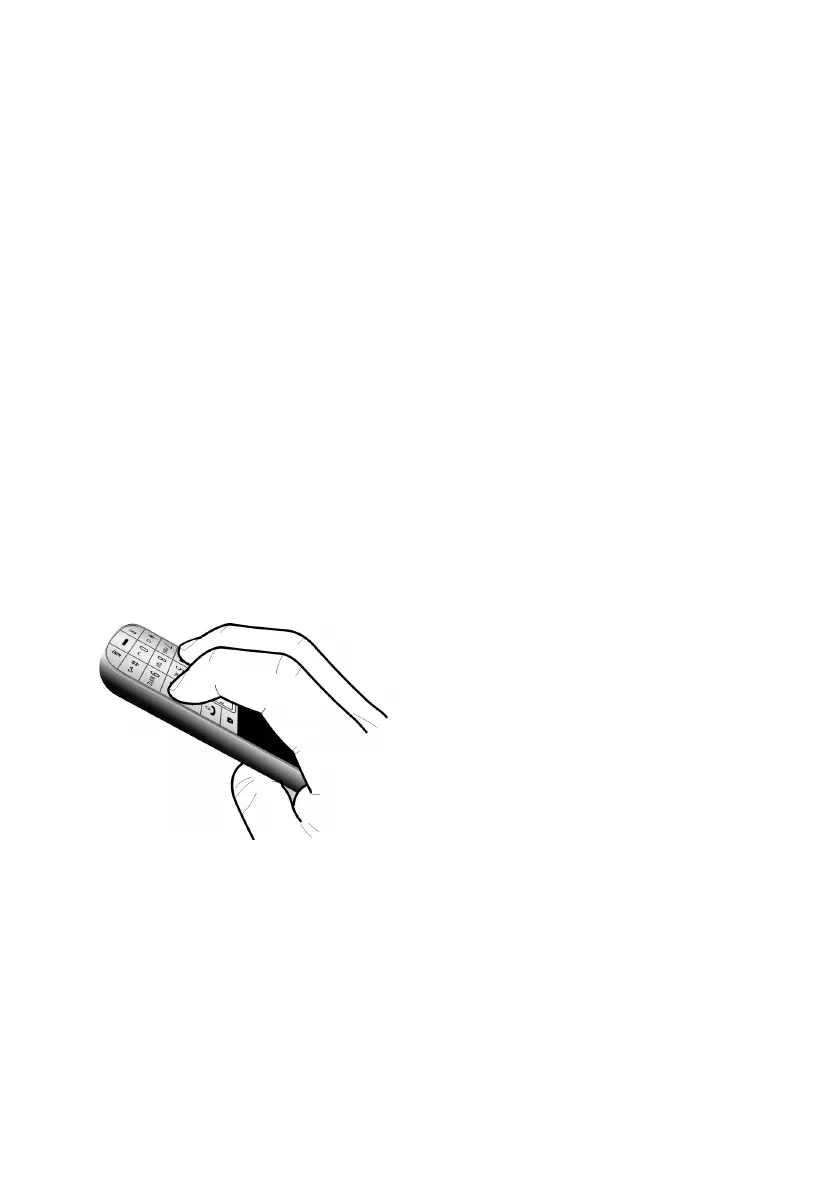
¤ Press and hold keys 4 and L with
the index and middle finger.
¤ Replace the battery.
¤ Release keys 4 and L. The message
key f and the talk key c will flash
alternately.
¤ Complete the firmware update as
described.






 To Next Page