Connecting a Sierra Wireless LX40 Router to an Eaton Network Card P-164001160—Rev 01 9
PPrreeddiiccttPPuullssee RReemmoottee MMoonniittoorriinngg AAccttiivvaattiioonn CCoommpplleettiioonn CChheecckklliisstt
• https://PredictPulseapp.eaton.com account enrollment complete
• Universal Accessory Power kit installed (if no UPS protected outlet is available for the modem and/or
network switch to plug into. Must be installed by an Eaton technician, contact your Eaton service
representative for a quote.)
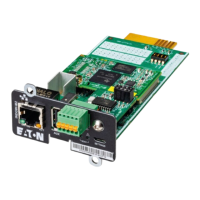
• PredictPulse-compatible network connectivity card installed
• Connectivity card upgraded to latest firmware
• Environmental Monitoring Probe connected
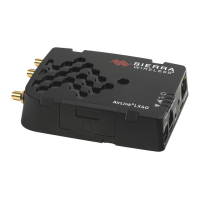
• Sierra Wireless LX40 LTE router installed and connected to network card
• PredictPulse auto-activated by the router
• Call placed to Brightlayer Data Center at 800-356-5737, option 2, option 2 to confirm portal activation and
communication receipt
PredictPulse Remote Monitoring Activation Completion Checklist


 To Next Page