105
The recording capacity of cards is as shown below.
512MB 1GB 2GB 4GB
178 min 356 min 712 min 1424 min
PLAYING BACK SOUND
How to playback sound recorded in the sound recording mode.
1
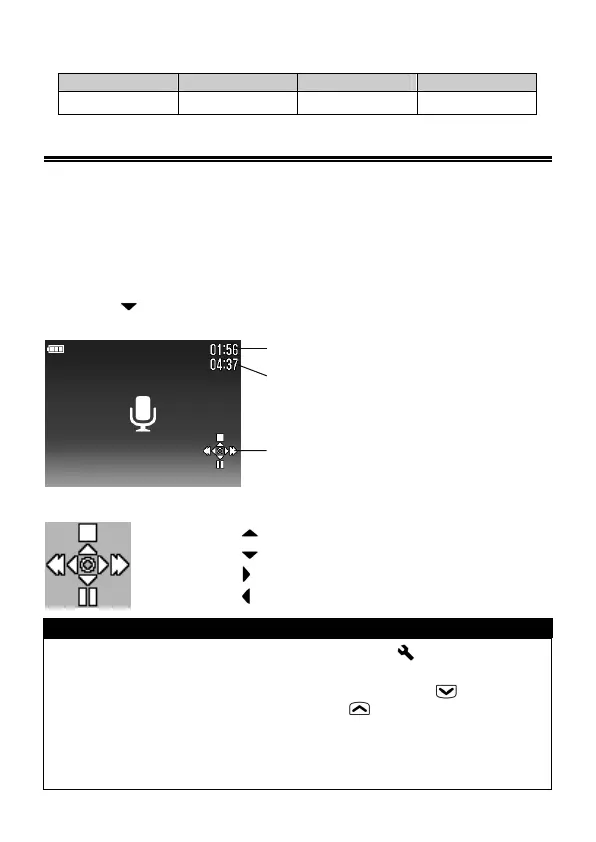
When playback of sound is selected, the sound recording screen will
be displayed. (The operation icons will be displayed on the bottom right
of the display.)
2
Press the button to playback the sound recording.
When playing the sound ・・・
Pressing the
button will stop playback.
Pressing the
button will pause playback.
Pressing the
button will fast-forward.
Pressing the
button will fast rewind.
TIP
• Although sound volume can be set from the [ Camera Settings]
(P.26) → [Sound Settings] → [Sound Volume], it is also possible to
adjust the volume during playback. Pressing the button will
decrease the volume, and pressing the button will increase the
volume.
• After transferring the files to your PC, please play WAV files with
dedicated software.
Ela
sed
la
back time counter
Recorded time
O
eration
uide icons
Sound
la
back screen



 To Next Page