10 I EOX
®
REMOTE 500 I Operation
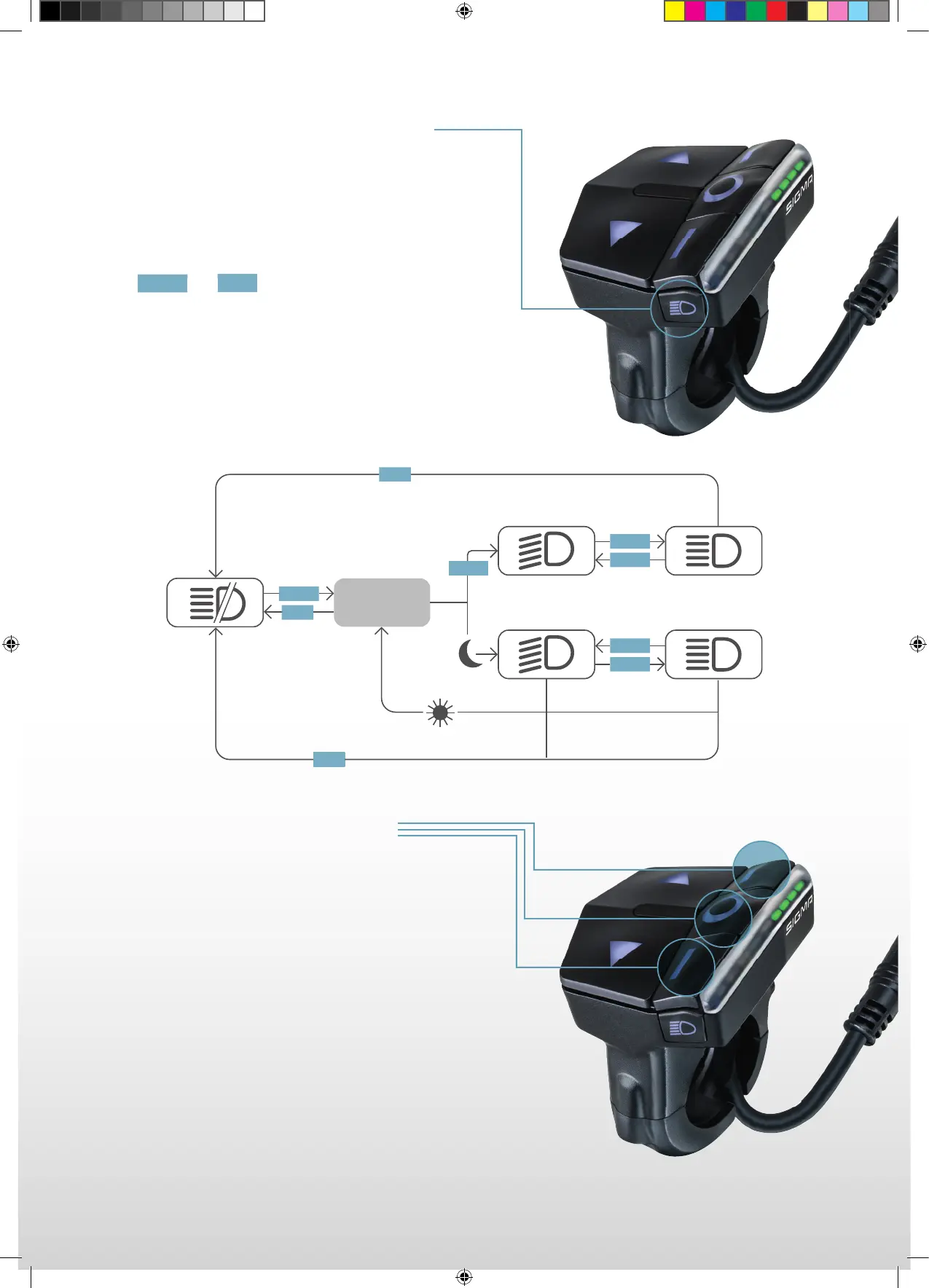
1.3.4 Switch light status
− By the integrated ambient light sensor the
EOX
®
REMOTE 500 can control the light
of your E-System automatically.
− The light status can always be switched manually
by and pressing the LIGHT button.
− If the light is turned on you can press the LIGHT button
to switch between low beam and high beam mode
(in case your E-Bike light supports these modes).
SINGLE
LONG
1.3.5 Remote control
− The functionality of the three remote control buttons (A, B, C)
changes whether an EOX
®
VIEW 1200 is connected or not.
− With EOX
®
VIEW 1200 connected, the purpose of the
three buttons is to remotely operate the display (see chapter 2)
− If no EOX
®
VIEW 1200 is connected, the three remote control
buttons can be used to control the EOX
®
App (see chapter 4).
A
B
C
AUTO
MODE
LONG
SINGLE
SINGLE
LONG
SINGLE
SINGLE
SINGLE
SINGLE
LONG
SIGMA-SPORT-EOX-Manual-EN-210x297-HZM-V1.indd 10SIGMA-SPORT-EOX-Manual-EN-210x297-HZM-V1.indd 10 16.09.2021 15:12:0316.09.2021 15:12:03



 To Next Page