AFTER SALES SUPPORT
1300 777 137
service@unclebills.com.au
MODEL: EA0863 PRODUCT CODE: 59016 12/2018
27
Bluetooth
®
Cannot connect
the Bluetooth
®
enabled device
to the Jukebox?
Ensure that Bluetooth
®
on your device is turned on and the Jukebox is set
to Bluetooth
®
mode (see page 24 for further instructions).
The volume is
very low?
Turn the volume up on both the Bluetooth
®
enabled device and the
Jukebox.
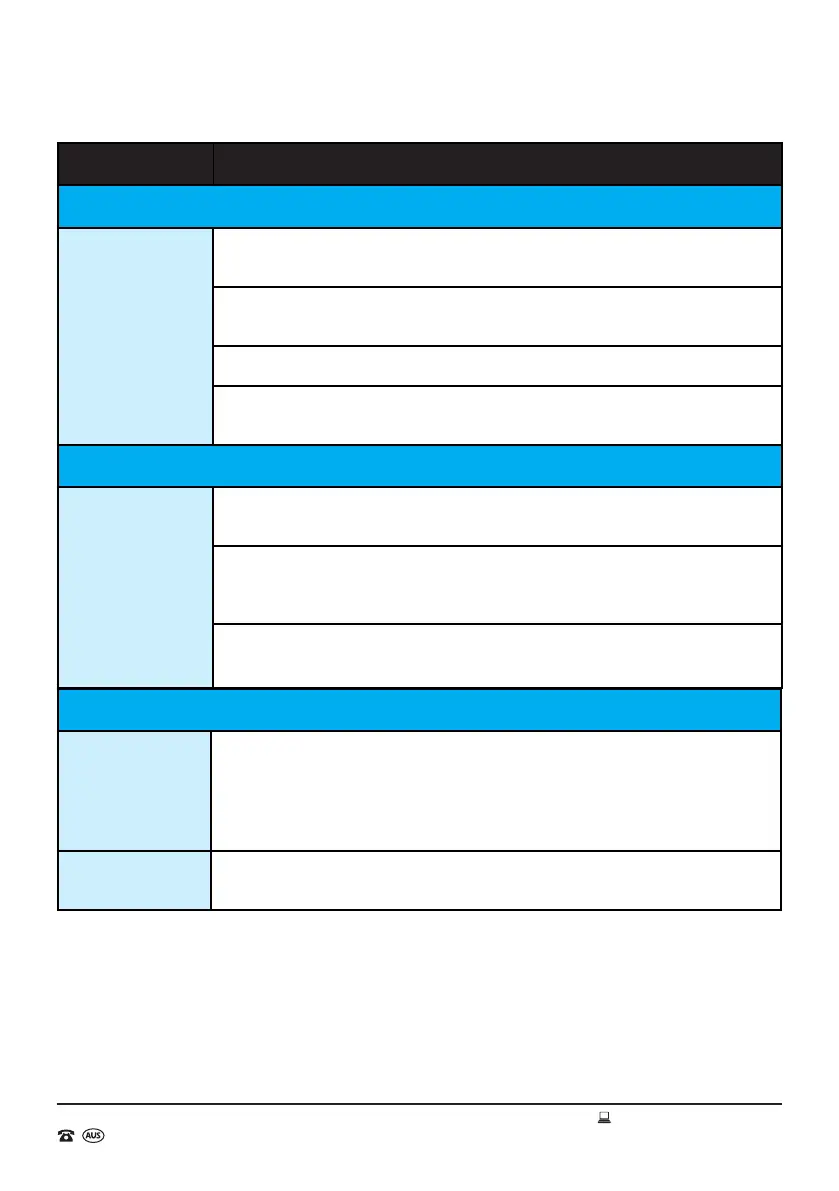
Frequently Asked Questions
Problem Possible Solution
FM Radio
No radio
reception or
sound?
The FM radio antenna on the back panel of the unit may not be unwound.
Unwind the FM radio antenna and rescan.
The audio mode may not have not been set to FM radio. Set the Jukebox
to FM radio mode (see page 18 for further instructions).
Volume may not be turned up. Press VOL+ to increase volume.
The Jukebox may be located in an area with poor FM reception. Relocate
the Jukebox to an area with better FM reception and rescan.
CD Player
The CD does
not play, or the
sound skips?
The CD may have been inserted the wrong way up. Reload the CD with the
label side up and the shiny side down.
Check the CD to ensure it is not a DVD or contains audio les that are not
compatible with the Jukebox. Note that for burnt CD's, only audio les in
MP3 format will work.
The CD may be dirty or scratched. Check to ensure the CD is free from
smudges/dirty marks or scratches.


 To Next Page