© 2000–2020 signotec GmbH
Signotec Sigma user manual
8. Installation
The device has a permanently installed cable with a standard USB Type A plug. The cable is used for
data transfer and to power the device. This plug must be connected to a free USB port of the computer
or a signotec USB-to-Ethernet adapter.
Please connect the cable while taking all necessary safety precautions with regard to other devices
and persons. The cable should be routed in such a way that under no circumstances is it constantly
under tension. Do not place heavy objects on the cable, do not bend the cable repeatedly and do not
exert strong pressure on the cable connections. Improper loading of the cable or the connector sockets
may result in cable breakage or damage to the device’s components or your computer. Damage that
can be attributed to these causes is not covered by warranty.
Note: Please use only the supplied cable or appropriate spare parts from signotec to ensure
correct functionality. The USB standard provides for a maximum cable length of three metres.
signotec cannot guarantee functionality for longer cables.
8.1. Status LED
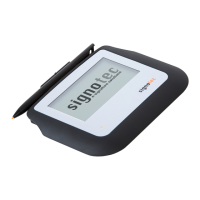
There is a two-colour status LED on the front of the signature pad:
The device is in standby or display mode.
The device is in capture mode and can capture a signature.
Note: These specifications correspond to the standard behaviour of the LED. You can use
the API to individually control the LED, which means it may display a different behaviour.
Please contact your software manufacturer in this case.
8.2. Software
The installation of drivers alone does not indicate that all device functions will be enabled. To use
the signature pad, you also need software that provides communication with the device. You can
use the signotec standard software products if you do not have software that supports the signotec
signature pad. Please refer to www.signotec.com for an overview of signotec products.
Tip: We recommend using the signoSign/2 software for a legally compliant and legally
admissible signature for PDF documents.
Please install all required drivers on your system before connecting the device.
Most drivers are included when installing signotec APIs and other software products
(such as signoSign/2). Otherwise, you can find them at www.signotec.com.


 To Next Page