MU_S01 MY22_EN - User Manual S01 MY22 (V006) Page 36 of 68 Copyright© SILENCE Urban Ecomobility
DRIVING MODES
This scooter has different driving modes, available depending on the variant (Basic, Connected, Standard or Plus). They are:
...where the first 3 are the main modes. Each mode has features (acceleration, maximum speed, regenerative braking) that make it ideal for one type of driving
or another. You decide which one is best for you at all times!
Remember that your scooter also has a reverse gear which, unlike the rest of the other modes, is activated by means of a specific button (see “Reverse gear
switch:” section).
SELECTION
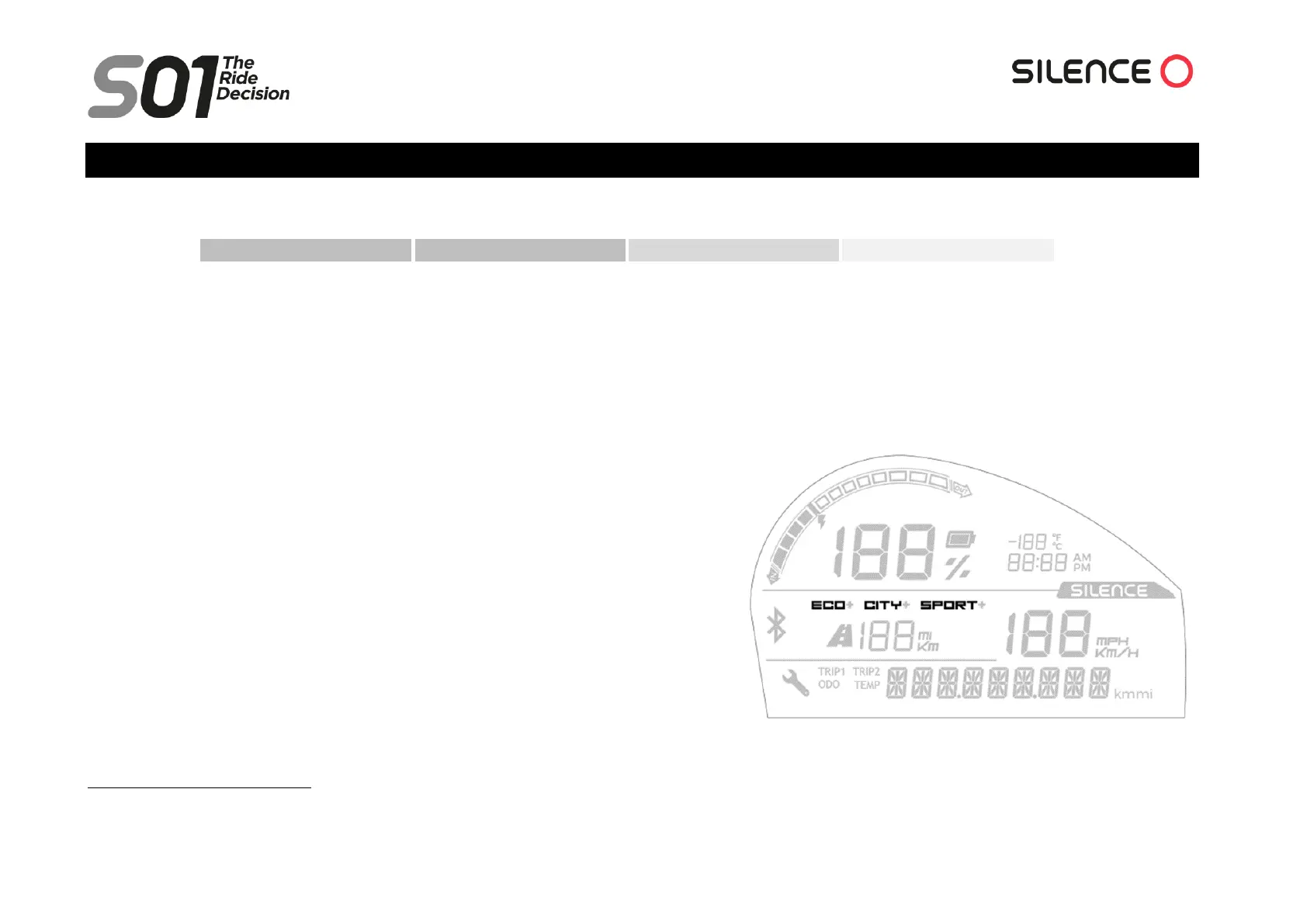
To select one of the 3 main modes (ECO, CITY or SPORT), you can do so by using the
“MODE” button:. The current mode will be indicated on the dashboard display. A single
press of the button will switch between these modes, following the sequence
:
C-S-C-E-C-S-C-…
During the transition between one mode and another, the name of the next mode will flash
on the screen for a few seconds and will be activated and remain on the screen. This allows
us to skip 2 modes without having to activate the mode that comes next in the sequence.
You can go directly from SPORT to CITY, but to switch to ECO from any mode you must be
driving at a speed of less than 55 km/h.


 To Next Page