MU_S01 MY22_EN - User Manual S01 MY22 (V006) Page 40 of 68 Copyright© SILENCE Urban Ecomobility
“My Silence” app (only for connected versions)
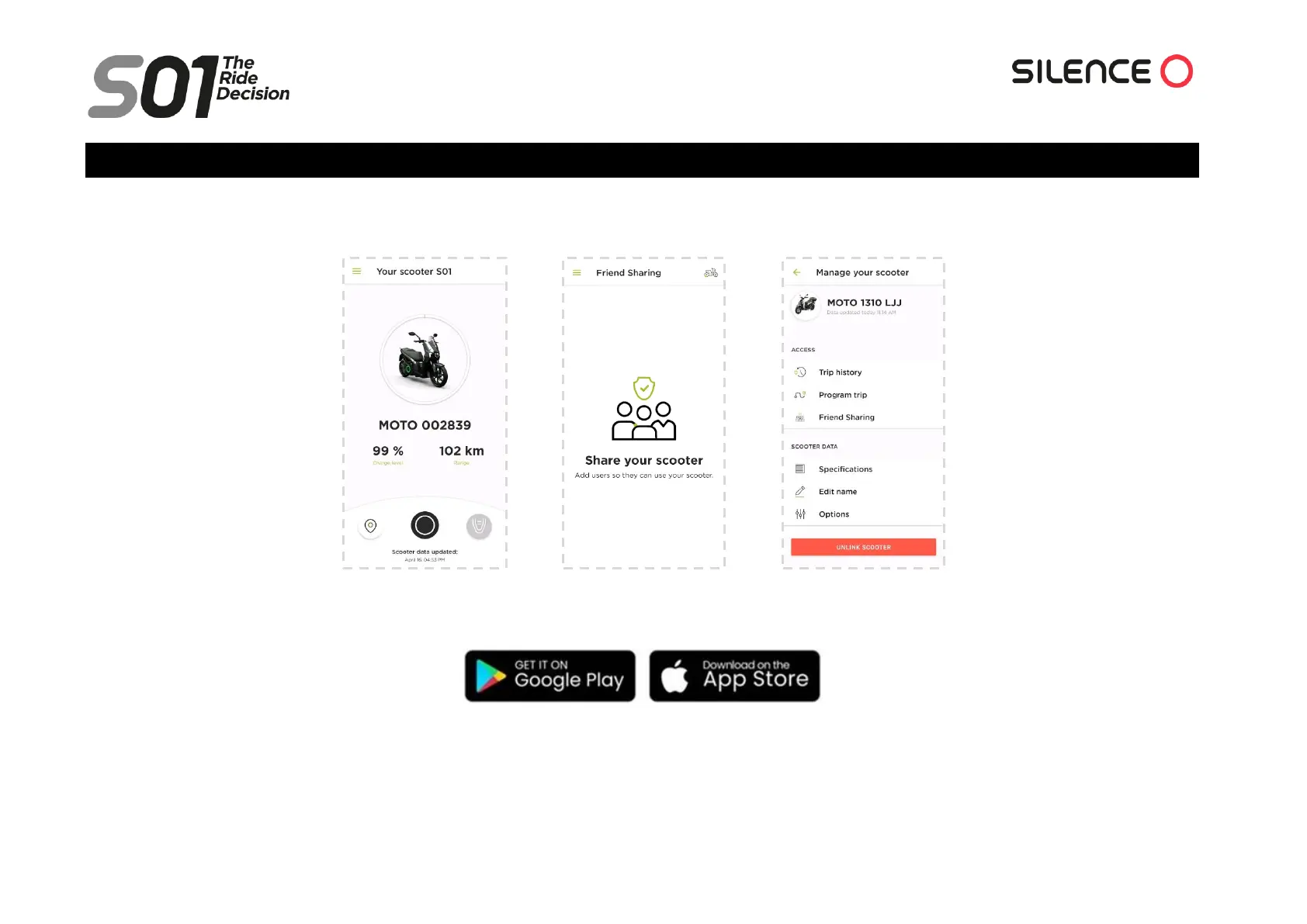
If there is one thing that characterises the S01 Connected and S01+, it is the possibility of linking it to your smartphone through the “My Silence” mobile
application. The app allows you to be connected to your scooter from anywhere, being able to share it with whoever you want in complete safety.
It is the first electric scooter that comes connected as standard from the time it is developed until it reaches the end user. Everything is designed by and for the
client, making use of the scooter easier and always providing all the necessary information in a completely personalised way.
To pair it with your device, you simply need to know your VIN (see “VIN number - Chassis number” section) and download the app (available in Google Play
and the App Store), open it and follow the instructions that appear in it. This mobile application is self-explanatory, so it will guide you through the entire
process.



 To Next Page