- 9 -
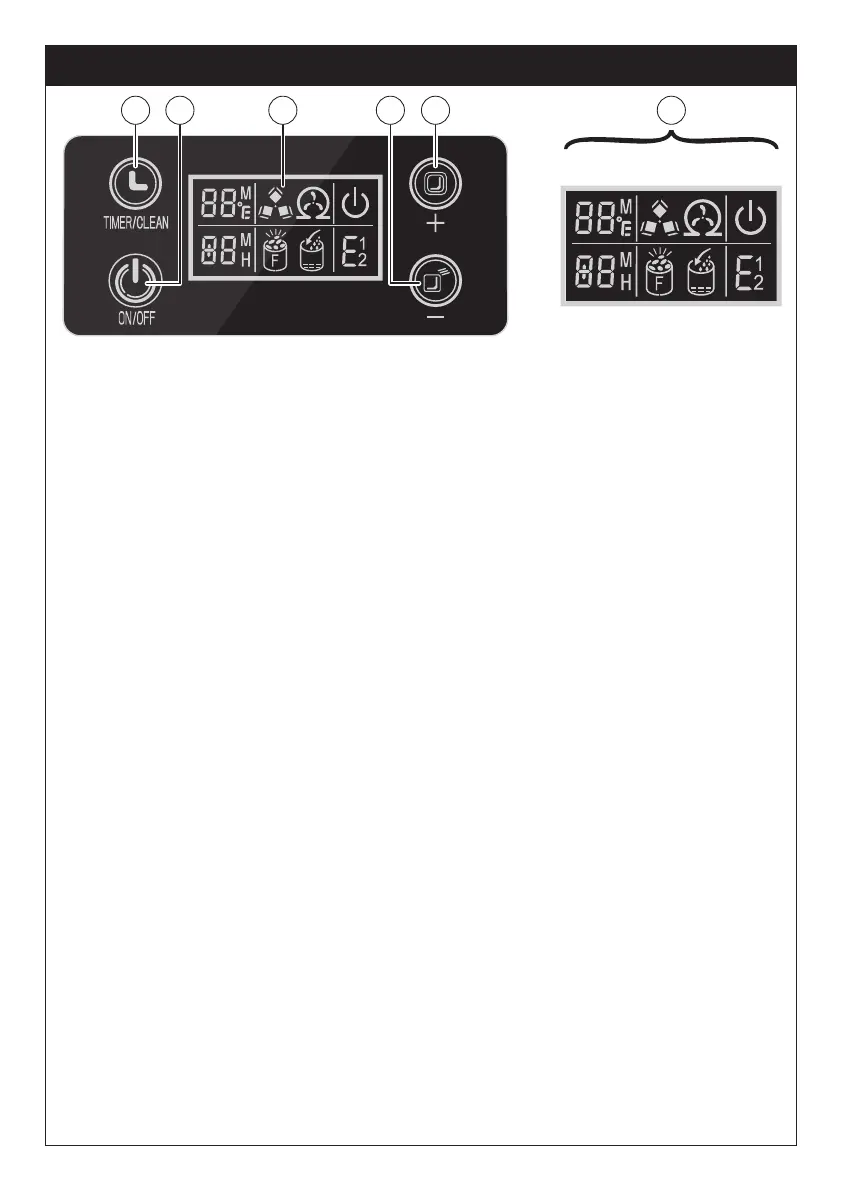
A. TIMER/CLEAN button
Short press this button once to enter the timer setting program; Long
press this button for more than 5 seconds to start the self-cleaning
function.
B. ON/OFF button
When the ice maker is off, press this button to turn on the ice maker;
When the ice maker is making the ice cubes, long press this button for
more than 5 seconds and the ice maker will switch to ice harvest
process by force.
C. LCD Display window
1. Countdown symbol for ambient temperature and ice-making: When
the display shows <M>, it means the countdown for ice-making;
when the display shows <℉>, it means ambient temperature.
2. Ice cube symbol: When the symbol is rotating, the ice maker is
making ice cubes; When the symbol flashes, the ice maker is har-
vesting ice cubes.
3. Automatic self-cleaning symbol display.
4. ON/OFF symbol.
5. The error code:
E1: Failure of the ambient temperature sensor.
E2: Failure of the water temperature sensor.
E: Ice formation anomaly or refrigerant leaked.
6. Lack water warning symbol.
7. Ice full warning symbol.
8. Time setting display area. When the screen window shows <H>,
timer unit ON/OFF; When the screen window shows <M>, setting
ice-making time.
D. Ice making and timer reduce
E. Ice making and timer increase
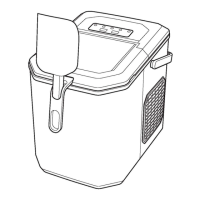
OPERATION PANEL AND DISPLAY AREA
1 2 3 4
8 7 6 5
A B C CD E
OPERATION PANEL AND DISPLAY AREA


 To Next Page